Use Cases
How to Use Scored Quizzes for Hiring: Screen Candidates Automatically
Every open role brings a flood of applicants, and most of the work is filtering. A scored quiz screens candidates the moment they apply: each answer carries points, the total ranks the applicant against your role criteria, and high scorers are routed straight to the next step. Here is how to set one up — for free — and use it without losing the human touch.
What is a Hiring Screening Quiz?
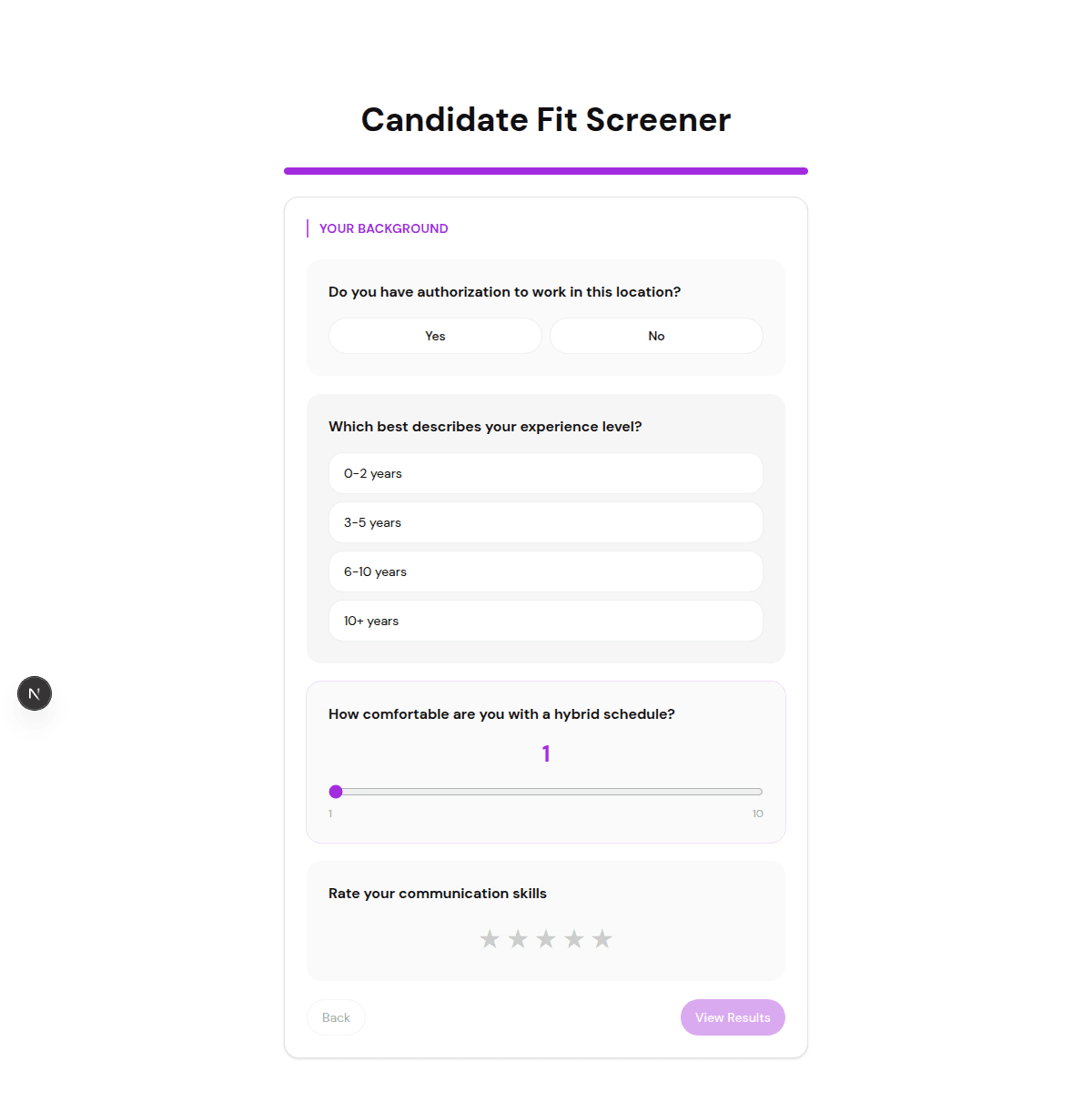
A hiring screening quiz is a scored assessment that candidates complete as part of (or before) applying. Each answer is worth points based on how well it matches the role — experience, availability, skills, location, must-have requirements — and the total score places the candidate in a tier.
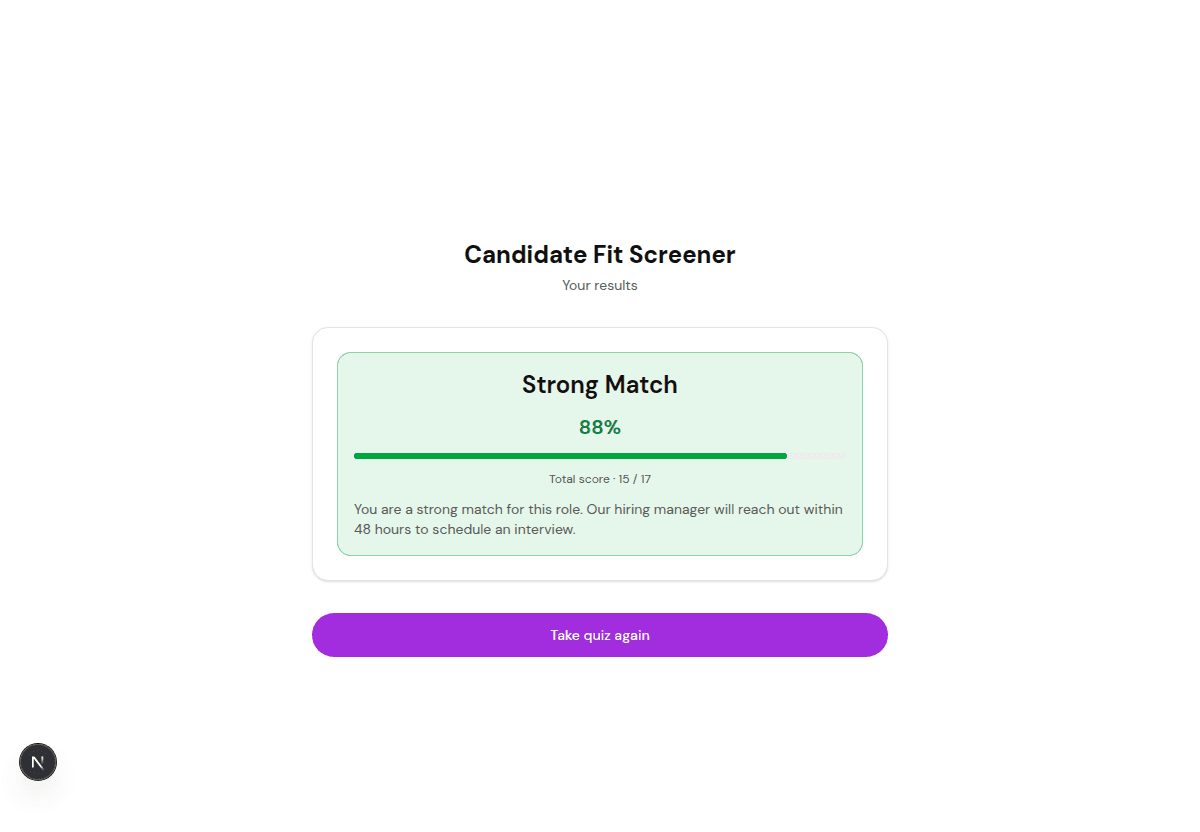
Instead of reading every application from scratch, you see ranked candidates with a score and full answer breakdown. Strong fits rise to the top automatically; obvious non-fits are filtered before they reach your inbox.
Why Use FluoTest to Build It?
FluoTest is a free quiz builder built for scored screening. You assign point values to each answer, define score tiers, and set a different action per tier: invite to book an interview, ask for a CV or email, or send a polite decline with a helpful resource.
Every submission triggers an email with the candidate's score and full answers, so your team can review ranked applicants at a glance. Connect Brevo to sync candidates with their score, use a webhook to push applicants into your ATS or a spreadsheet via Zapier, Make, or n8n, and watch drop-off analytics to see where good candidates abandon the form.
Try it: fluotest.com
How to Build a Hiring Screening Quiz in 6 Steps
1. Define your must-haves and scoring tiers
List the non-negotiables for the role (eligibility to work, availability, core skills) and the nice-to-haves. Decide what each score range means: Low (does not meet must-haves), Medium (worth a look), High (priority interview). These tiers become your routing rules.
2. Write objective, scoreable questions
Ask about facts, not opinions: years of relevant experience, specific tools, availability, location or work authorization, salary expectations. Objective questions score consistently and reduce bias compared with free-text essays.
3. Assign point values to each answer
Give each answer option a point value that reflects fit. Must-have failures can score zero so a candidate cannot reach the high tier without them. Keep point ranges consistent so no single question dominates the total.
4. Set score thresholds and actions
Map each tier to an action: High → show a link to book an interview slot. Medium → ask for a CV and email for manual review. Low → show a polite, encouraging decline and point to other openings or resources. FluoTest handles this routing natively.
5. Keep it fair and human
Use scoring to rank and prioritise, not to auto-reject blindly. Always have a human review the medium and high tiers, write decline messages with respect, and avoid questions that are not relevant to the job. A quiz should speed up screening, not replace judgement.
6. Publish and connect your tools
Share the quiz link in your job post or embed it on your careers page. Connect Brevo to tag candidates by score, push applicants into your ATS or a spreadsheet with a Zapier, Make, or n8n webhook, and use drop-off analytics to fix any question that scares good candidates away. Every submission also lands in your inbox with the full score.
Why Scored Quizzes Work for Hiring
- -They filter out candidates who miss must-have requirements before anyone reviews them
- -They rank applicants by fit automatically, so the strongest rise to the top
- -They standardise screening questions, which makes comparisons fairer
- -They save hours of manual CV reading on every open role
- -They give every candidate a fast, clear response instead of silence
- -Drop-off analytics show which question loses good applicants
- -Brevo and webhooks route candidates into your ATS or email flow automatically
Who Should Use a Hiring Screening Quiz?
- -HR teams and recruiters screening high volumes of applicants
- -Small businesses hiring without a dedicated recruiter or ATS
- -Agencies and staffing firms qualifying candidates for clients
- -Hiring managers who want ranked, comparable applications
- -Anyone replacing a manual first-round CV screen with an automated one
Frequently Asked Questions
Is it fair to score candidates with a quiz?
Yes, when you use it to rank and prioritise rather than to auto-reject blindly. Objective, job-relevant questions scored consistently are generally fairer than ad-hoc manual screening. Always have a human review the medium and high tiers.
Should the quiz auto-reject low scorers?
We recommend against silent auto-rejection. Use the low tier to show a respectful decline with a helpful next step, and review borderline cases manually. Scoring should speed up screening, not remove judgement.
How many questions should a hiring quiz have?
Five to ten focused questions is the sweet spot — enough to assess must-haves and key fit factors without causing drop-off. Keep it under a few minutes to complete.
Can I send candidates into my ATS or spreadsheet?
Yes. FluoTest sends an email on every submission and connects to Brevo, plus webhooks for Zapier, Make, or n8n — so you can push scored candidates into your ATS, a spreadsheet, or a Slack channel.
Is FluoTest free for hiring quizzes?
Yes. FluoTest is free forever with no submission limits, no quiz limits, and no credit card required.
Ready to screen candidates automatically?
FluoTest is free. No credit card required. Start in 5 minutes.
What you get with FluoTest:
- - Scored quizzes that rank candidates by fit
- - Three score tiers with a different action per tier
- - Email notifications with each candidate's score
- - Brevo integration: tag candidates by score
- - Webhooks for Zapier, Make, and n8n (push to your ATS)
- - Per-question drop-off analytics
- - Free forever, unlimited responses
Questions? Read our pricing page or browse quiz templates.