Use Cases
How to Use Scored Quizzes in Education: Assessments, Screening, and Student Feedback
21% of FluoTest users are educators. That surprised me. I built FluoTest for lead qualification, but teachers, program managers, trainers, and course creators started using it for something completely different: scoring students, screening applicants, and collecting structured feedback. This post is for them.
Why scored quizzes work better than regular forms in education
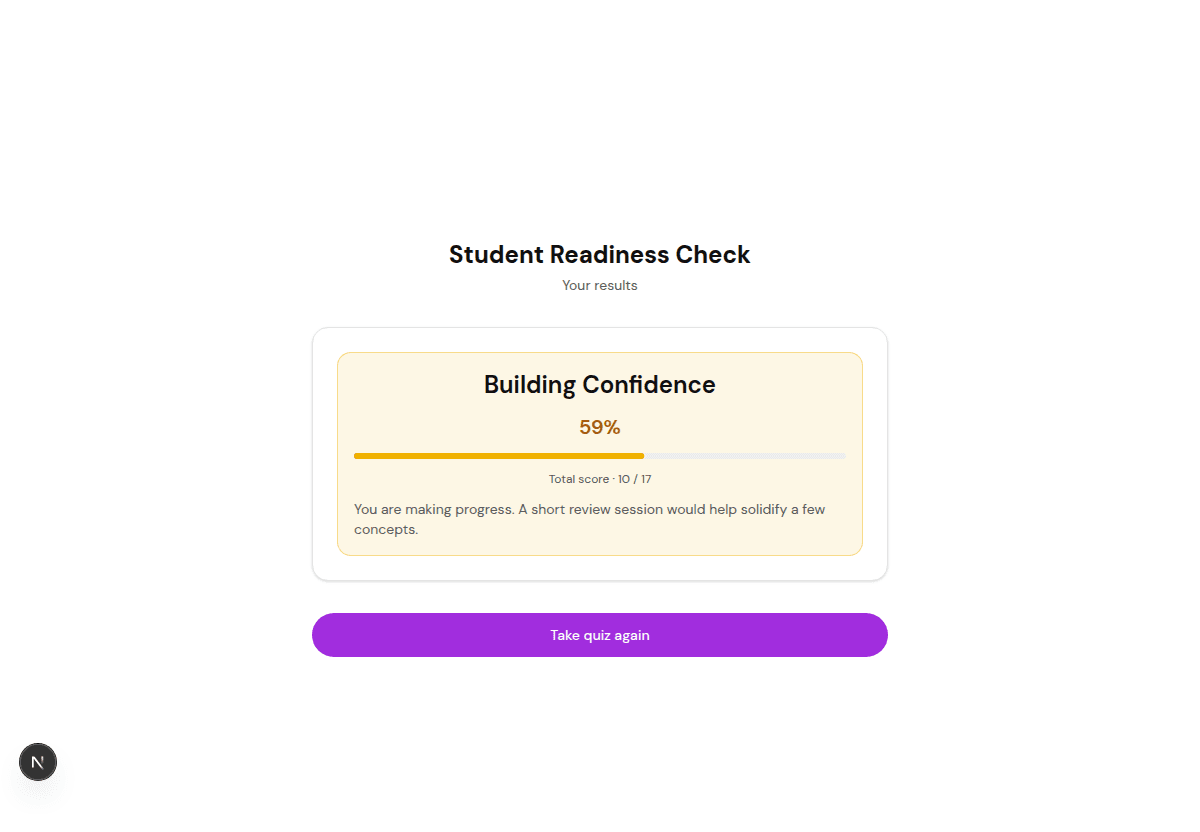
A regular Google Form collects answers but gives you nothing to act on. A scored quiz assigns points to each answer and calculates a total. That total tells you something real: does this student pass or fail, is this applicant a good fit, did this learner actually absorb the material.
Once the score does the work, you stop reviewing every submission by hand. The same scoring engine I built for lead qualification turns out to be exactly what you need for a final exam, an admissions screen, or a course evaluation.
Try it: fluotest.com
Five ways educators use scored quizzes
Knowledge checks and exams
The simplest use case. Build a quiz with multiple choice questions where one answer is correct (1 point) and the rest are wrong (0 points). Use points mode instead of percentage mode, then set pass/fail tiers: 4 out of 5 = Passed, 0 to 3 = Needs review. Great for course checks, certification tests, onboarding quizzes, and compliance training. The Knowledge Check and Compliance Check templates give you a head start.
Student and applicant screening
Universities and programs get hundreds of applications. A scored screening quiz asks about qualifications, experience, motivation, and timeline. High scorers go straight to your shortlist, low scorers get a polite rejection. A program manager at CalArts uses FluoTest for exactly this. The Job Application Screener template even includes file upload so applicants can attach a resume.
Course evaluation and feedback
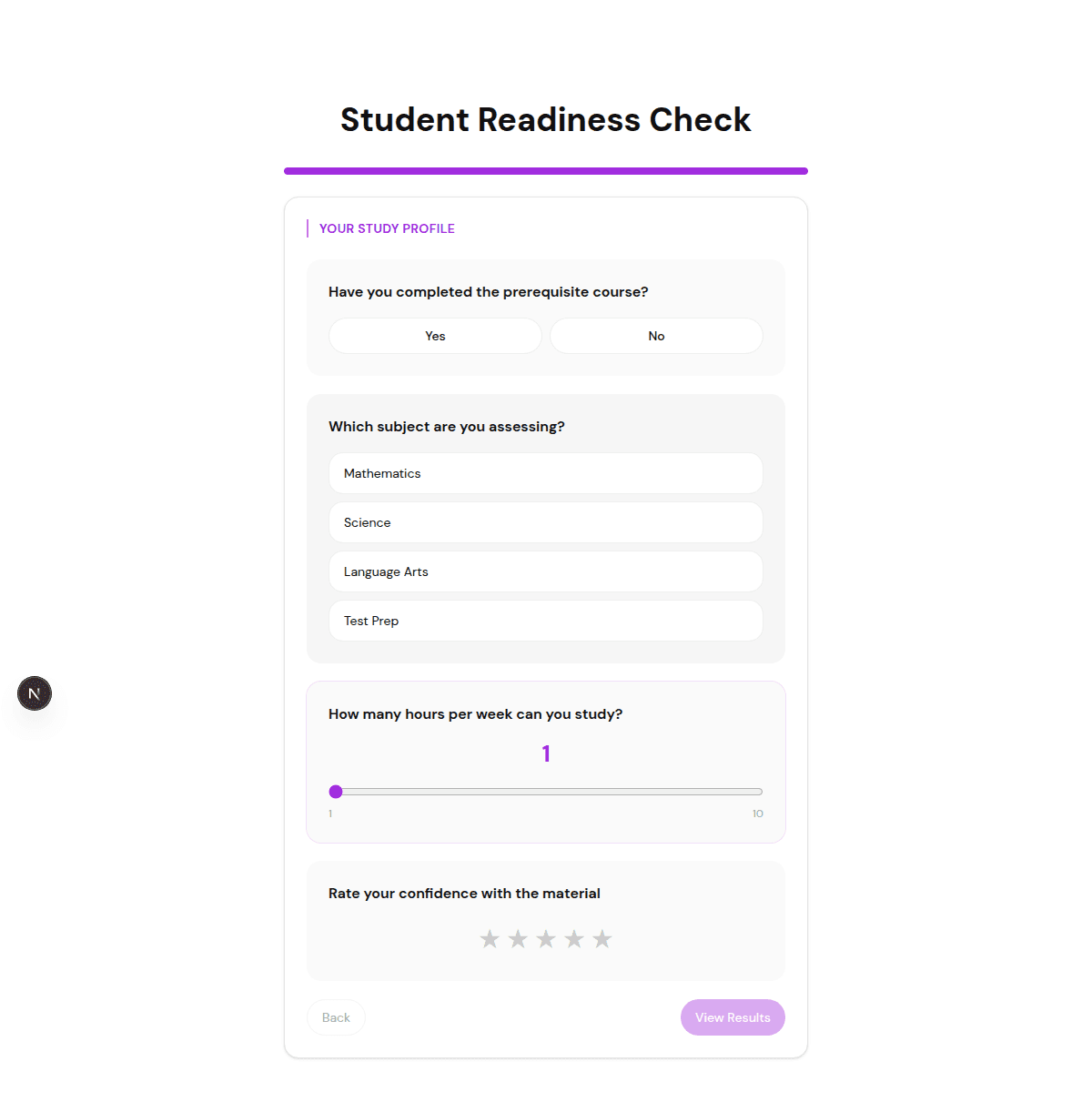
After a course ends, send a scored evaluation quiz. Star ratings for instructor clarity, course content, and overall satisfaction, plus an open text question for written feedback and a file upload for assignments. The score gives you a quick read on how the course actually landed. Start from the Course Evaluation template.
Learning style assessment
A multi-score quiz that profiles students across Visual, Auditory, and Hands-on learning. Each question maps its answers to different score categories. The student sees their dominant learning style and you get data to personalize instruction. The Learning Style template is built on multi-score categories.
Self-assessments with benchmarking
Let students check their own progress. A wellness check, stress level assessment, or productivity audit where they get a personal score and see how they compare to everyone else who took it: "Higher than 72% of students." Benchmarking makes it engaging and gives each score real context.
How to build an education quiz in 5 minutes
1. Pick a template
Start at fluotest.com/templates. The Education and Training category has multiple templates ready to go, so you rarely start from a blank page.
2. Customize the questions
Edit the questions to match your course, program, or assessment. Change the wording, add your own answer options, and set the point values.
3. Set your score tiers
Define what each score means: Pass/Fail for knowledge checks, or Excellent / Good / Below expectations for evaluations. Each tier can show a different outcome.
4. Share or embed
Send a link, or embed the quiz directly on your LMS or course page so students never leave your site.
5. Review the results
Watch responses come in on the analytics dashboard, export to CSV, or sync to Google Sheets (Pro) for grading and record-keeping.
What makes FluoTest different for educators
- -Free with unlimited quizzes and unlimited responses — no per-student pricing and no response caps
- -File uploads for assignments and resumes
- -Multi-language support for international programs
- -Benchmarking so students can see how they compare
- -Points mode for exams, percentage mode for assessments
- -Every question type you need: multiple choice, star rating, slider, open text, yes/no, and file upload
Frequently Asked Questions
Is FluoTest really free for educators?
Yes. Unlimited quizzes, unlimited responses, no per-student pricing, and no credit card. Pro adds extras like Google Sheets sync, but the core tool that covers exams, screening, and feedback is free forever.
Can students upload assignments or resumes?
Yes. The file upload question type lets students or applicants attach documents — assignments, resumes, certificates — right inside the quiz. The Job Application Screener and Course Evaluation templates already include it.
What is the difference between points mode and percentage mode?
Points mode adds up raw points, which is what you want for exams (4 out of 5 = Passed). Percentage mode normalizes the score to 0–100%, which works better for assessments and self-checks. You pick the one that fits the quiz.
Can I use FluoTest for a course in another language?
Yes. FluoTest supports multiple languages, so you can run the same quiz for international programs and cohorts without rebuilding it.
How do I get the results into my gradebook?
Every submission shows up in the analytics dashboard with its score. You can export everything to CSV, or sync responses to Google Sheets (Pro) to feed your gradebook or records.
FluoTest is free. Start with a template.
No credit card, no student limits, no response caps.
What you get with FluoTest:
- - Scored quizzes for exams, screening, and evaluations
- - Points mode and percentage mode
- - File uploads for assignments and resumes
- - Multi-language support and benchmarking
- - Unlimited quizzes and unlimited responses, free
Questions? Read our pricing page or browse quiz templates.