Guide
Business Coaching ROI: How to Measure It With a Free Scored Quiz
Clients ask what they got for the money. Coaches often answer with stories, because the numbers were never captured. A scored quiz taken at the start and again later gives you a number you can point to. This guide shows you how to set it up for free.
Quick answer
How do you measure business coaching ROI?
Measure business coaching ROI by scoring the client on the same set of questions before and after the engagement, then comparing the scores next to the business results they care about, such as revenue, time saved or closed deals. A scored quiz does the first part for you and keeps the results in one place. You still need the client's own numbers to turn the score change into a money figure.
What is business coaching ROI?
Business coaching ROI is the value a client gets from coaching compared with what they paid. The classic formula is the gain minus the cost, divided by the cost. The hard part is the gain. Revenue can rise for many reasons, so coaches need a clear baseline and honest attribution.
A baseline is the step most coaches skip. If you score a client on areas like clarity, sales, leadership and systems on day one, you have something to compare against later. The score does not prove money earned. It shows where the client moved, and that gives the ROI conversation a solid starting point.
Why use FluoTest to track coaching ROI
FluoTest is a free scored quiz builder. You get unlimited quizzes and responses, multiple score categories per quiz, score tiers and routing, and all question types. That is enough to build a baseline assessment and a follow-up with the same questions.
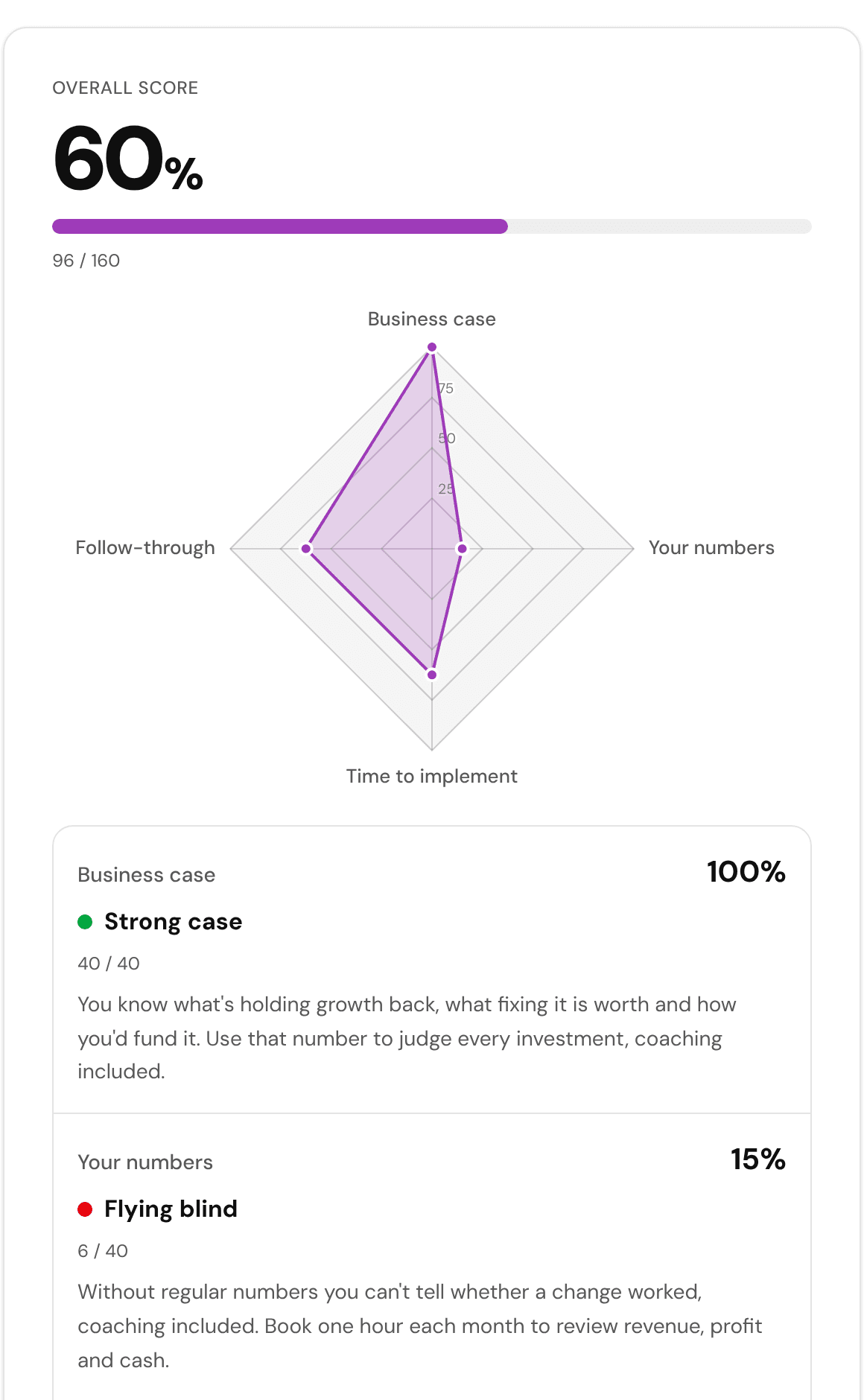
Free also includes CSV export, basic analytics and a radar results chart when you use 3 or more score categories. A radar chart makes a before and after comparison easy to show in a session. There is a ready template at /templates/preview/businessCoachingROI that you can start from and edit.
Try it: fluotest.com
How to measure business coaching ROI with a scored quiz
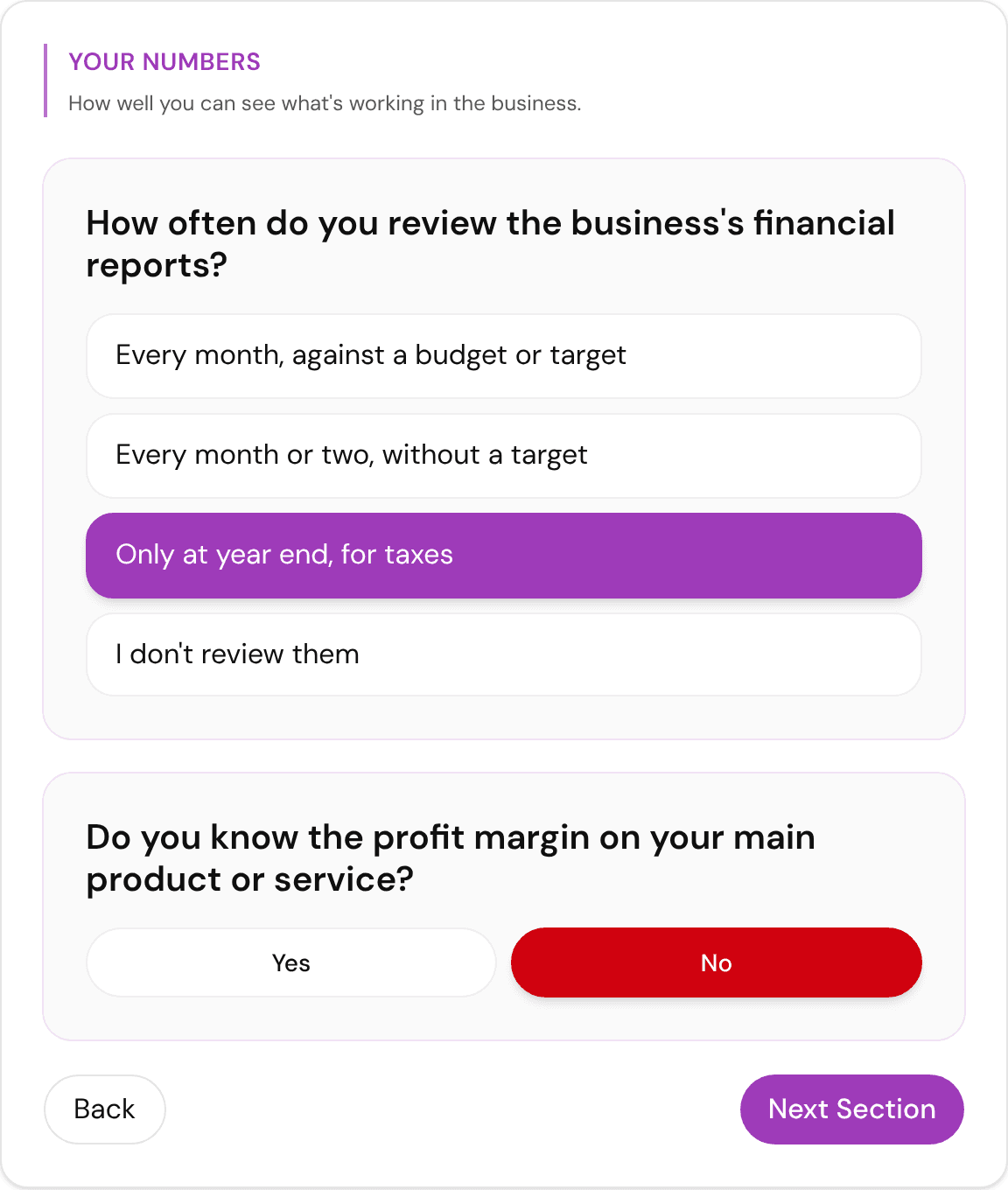
1. Pick 3 to 5 areas you coach on
List the areas where your clients expect to improve, for example sales, leadership, time management and finances. Each area becomes one score category in the quiz.
2. Write 4 to 6 questions per area
Ask about behavior, not feelings. Use questions like how often the client reviews numbers or how many sales conversations they had last month. Give each answer a point value.
3. Set score tiers
Define what a low, middle and high score means for each result. Tiers give the client a plain-language reading, not just a number. Start from the template at /templates/preview/businessCoachingROI if you want a head start.
4. Add one money question
Ask for a figure the client already tracks, such as monthly revenue or hours spent on admin. Keep it as an open or numeric answer next to the score so you can compare it later.
5. Run the quiz at the start
Send the link before the first session. The result is the baseline. Save the score and the money figure in your notes or export them to CSV.
6. Run the same quiz again
Repeat the same quiz at the midpoint or the end of the engagement. Use identical questions so the scores can be compared fairly.
7. Compare and discuss
Put both scores side by side, with a radar chart if you use 3 or more categories. Then discuss the money figure with the client. Agree together how much of the change came from coaching, and note that this is the client's estimate.
Benefits of a scored quiz for coaching ROI
- -You get a real baseline instead of relying on memory.
- -Clients see their own progress in a clear score and chart.
- -The same quiz works for every client, so your process stays consistent.
- -Renewal conversations start from evidence, not opinion.
- -Results export to CSV, so the data stays yours.
- -It costs nothing to start, with unlimited quizzes and responses.
- -Score tiers show the client where to focus next.
Who should use a coaching ROI quiz
- -Business coaches who need to justify their fees at renewal.
- -Consultants who run multi-month engagements and want a progress check.
- -Agencies that coach client teams and need a simple before and after report.
- -New coaches who want a structured intake instead of a blank first call.
- -Coaches who run group programs and want to compare cohorts.
Frequently Asked Questions
What is a good ROI for business coaching?
There is no single number that fits every engagement. What counts is the gain the client can attribute to coaching compared with what they paid. Track the client's own figures, such as revenue or time saved, and agree on attribution with them.
Can a quiz prove business coaching ROI?
A quiz shows change in scored areas between two points in time. It does not prove that coaching caused a revenue change. Used together with the client's own numbers, it gives you honest evidence to discuss.
How often should I re-run the quiz?
Run it at the start and again at the end. For longer engagements, add a midpoint check. Keep the questions identical every time so the scores stay comparable.
Is the business coaching ROI template free?
Yes. Unlimited quizzes and responses are free, including scoring, score tiers and routing. You can open the template at /templates/preview/businessCoachingROI and edit it for your clients.
Can I show clients a before and after chart?
Yes, if your quiz has 3 or more score categories you can use the radar results chart, which is free. It shows each area as a point on one shape, so a second run is easy to compare with the first.
Build your coaching ROI quiz for free
Start from the business coaching ROI template and make it yours in minutes.
What you get with FluoTest:
- - Unlimited quizzes and responses
- - Multiple score categories per quiz
- - Score tiers and routing
- - Radar results chart with 3 or more categories
- - CSV export of your data
- - Conditional branching and custom outcomes
- - Welcome and Thank You pages
Questions? Read our pricing page or browse quiz templates.