Comparison
FluoTest vs Tally: Which Free Tool is Better for Lead Qualification?
Tally and FluoTest are both free form tools, but they solve different problems. Tally is a general-purpose form builder with a clean Notion-like interface. FluoTest is built specifically for score-based lead qualification - you assign points to answers, set score tiers, and route leads based on their score.
What is Tally?
Tally is a free form builder launched in 2020, known for its Notion-inspired block-based interface. It is popular with indie makers, startups, and small teams who need a clean, no-code form tool without Typeform's price tag. Tally supports conditional logic, file uploads, and payment collection on its free plan.
Tally's free plan is generous for general forms. But it lacks native score-based logic, result tiers, and automatic lead routing based on quiz score.
What is FluoTest?
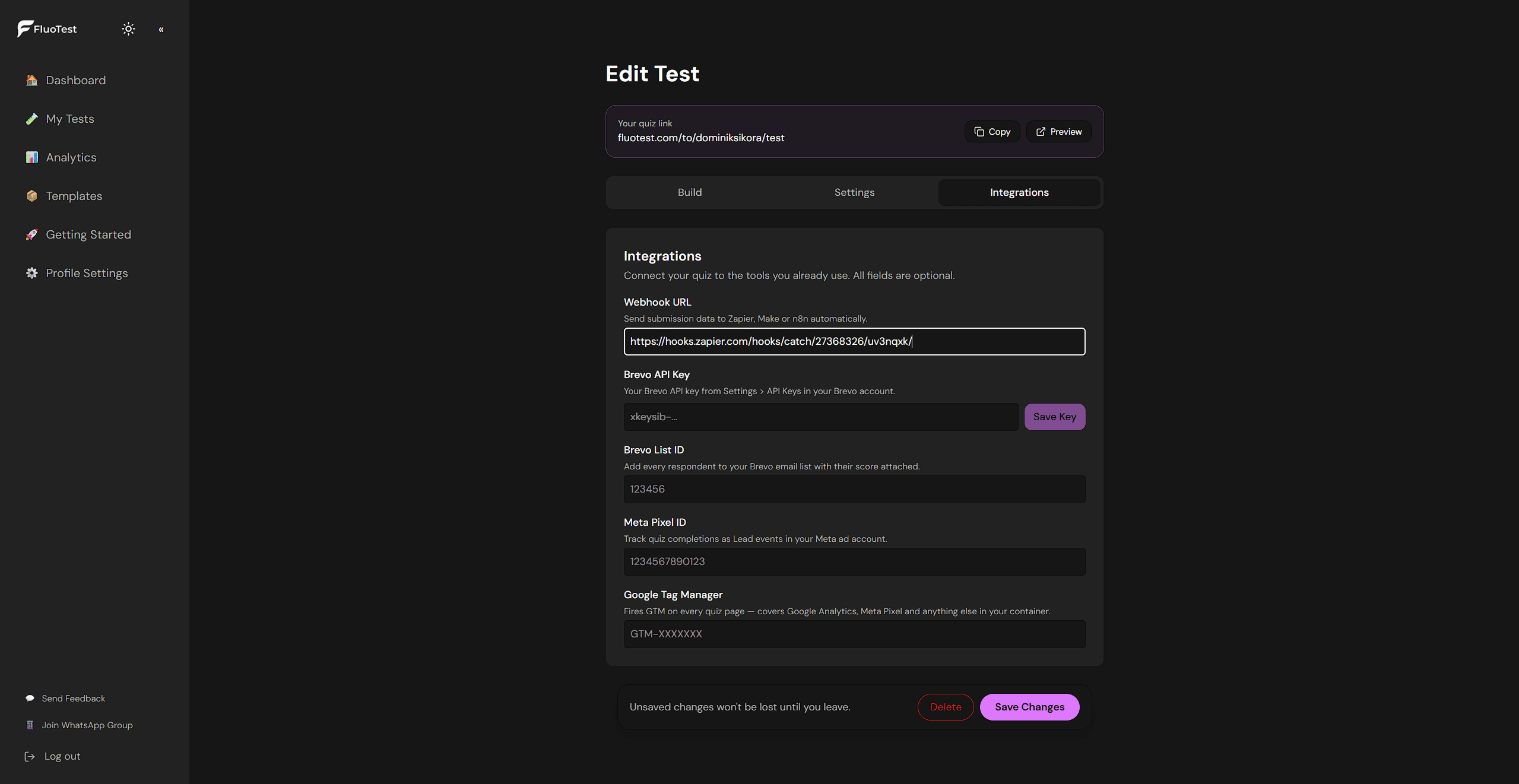
FluoTest is a lead qualification quiz builder. You assign point values to each answer, define score tiers (e.g. 0–39%, 40–69%, 70–100%), and set different actions per tier: calendar booking, email capture, or URL redirect. The routing happens automatically based on the score.
Every submission triggers an email with the score breakdown and full answers. FluoTest is free with no limits.
Try it: fluotest.com
Pricing Comparison: Tally vs FluoTest
Tally
- Free: Unlimited forms and responses
- Pro: $29/month (custom domain, remove branding)
- No hard response limits on free plan
Tally's free plan is genuinely generous. No response limits. But scoring and tiered routing require workarounds.
FluoTest
- Free forever
- No response limits
- Built-in score-based routing
- No credit card required
Both are free for most use cases. The difference is in what they're built to do. Read more about our pricing philosophy.
Feature Comparison: What You Actually Get
| Feature | Tally | FluoTest |
|---|---|---|
| Score-based results | ✓ (requires workaround) | ✓ Built-in |
| Conditional results per score tier | ✓ | ✓ Full support |
| Calendar booking by score | ✓ | ✓ |
| Email capture by score tier | ✓ (manual logic) | ✓ Automatic |
| Email notifications on submission | ✓ | ✓ |
| Unlimited responses | ✓ | ✓ |
| Analytics dashboard | Basic | ✓ Full |
| Price | Free / $29/month Pro | ✓ Free |
Tally can simulate scoring using conditional logic, but it requires manual setup and doesn't support automatic routing by score tier.
How People Use FluoTest
A business coach uses FluoTest to decide who gets a free strategy call. The quiz asks 8 questions about business stage, monthly revenue, and goals. Anyone scoring 70%+ gets a calendar booking link. Others get a helpful resource page. The filtering runs automatically.
You could build a similar flow in Tally with conditional logic, but you'd need to manually route each outcome and couldn't automatically send leads to calendar links based on score.
Who Should Use Tally?
- -Indie makers and startups who need clean, simple forms
- -Teams who want a Notion-like form-building experience
- -Businesses that need file uploads or payment collection for free
- -Anyone who wants a general-purpose form tool without Typeform pricing
Who Should Use FluoTest?
- -Coaches qualifying leads before strategy calls
- -Consultants filtering budget and project fit automatically
- -Agencies routing high-value leads to calendar, others to nurture
- -Anyone who needs score-based tiers and automatic routing - built in
Verdict
Tally is an excellent free form builder with a polished interface. If you need clean forms, file collection, or a Notion-like editing experience, Tally is a strong choice.
FluoTest is the better choice when your goal is lead qualification. The score-based routing, tiered outcomes, and automatic lead filtering are built in. You don't need conditional logic workarounds. If that's your use case, FluoTest is designed for it.
How to Switch from Tally to FluoTest
If you're using Tally for lead qualification and hitting its limitations, switching takes 15–20 minutes:
- 1.Copy your Tally questions
- 2.Sign up for FluoTest - free, no credit card
- 3.Create a quiz and paste in your questions
- 4.Assign point values to each answer
- 5.Set up 2–3 score tiers with different outcomes
- 6.Test the quiz end-to-end
- 7.Update your links and share the new FluoTest URL
Both tools are free, so no cost difference - but you gain native score-based routing.
Try FluoTest Free →Frequently Asked Questions
Is FluoTest really free like Tally?
Yes. FluoTest is free with no response limits, no quiz limits, and no credit card required. All core features including score-based routing are included at no cost.
What's the main difference between FluoTest and Tally?
Tally is a general-purpose form builder with a clean interface. It lacks native score-based routing. FluoTest is built specifically for lead qualification: you assign points, set score tiers, and leads are routed automatically based on their score.
Can Tally do score-based quizzes?
Tally supports conditional logic, but it doesn't have native score calculation or automatic tier-based routing. You can simulate scoring with workarounds, but it requires significant manual setup and doesn't support actions like calendar booking by score.
Which is better for lead qualification quizzes?
FluoTest. It's built specifically for this: assign points to answers, define tiers, set actions per tier (calendar booking, email capture, redirect), and get email notifications on every submission. Tally requires workarounds to achieve the same result.
Do I need to switch from Tally to FluoTest?
Only if your goal is lead qualification with score-based routing. If you need a general-purpose form for contact pages, registrations, or feedback, Tally is excellent. If you need score-based lead filtering, use FluoTest.
Both Tally and FluoTest are free.
But only FluoTest has built-in score-based lead routing.
Try FluoTest now - no credit card required:
- - Create your first quiz in under 5 minutes
- - Assign point values and define score tiers
- - Route high scorers to calendar, others to content - automatically
- - Get email notifications on every submission
Questions? Read our pricing page or browse quiz templates.