Guide
How to Build a Product Adoption Score for Customer Success
Most customer success teams already track usage data, but a login count is not an adoption score. It cannot tell you whether the champion left, whether the team was ever trained, or whether the account is using the product for the reason they bought it. A scored check-in fills that gap: it turns the things you cannot instrument into a weighted score you can act on, and routes each account to the right next step automatically. Here is how to build one.
Quick answer
How do you build a product adoption score?
Score three to four weighted categories, usage depth, feature breadth, stakeholder engagement, and value realization, then set conditional rules that route customers into risk tiers automatically. FluoTest lets you build the scoring quiz and trigger the follow-up email or CRM webhook the moment a score comes in, free.
What Is a Product Adoption Score?
A product adoption score is a single number, or a few category scores, that tells you how deeply a customer has actually adopted your product after onboarding: how much of it they use, how many of the people who should be using it are, and whether they are getting the outcome they bought it for. It replaces vague signals like login count with something a CS team can act on.
Most teams try to build this in a spreadsheet or a BI dashboard fed by product analytics. That works fine when your events are clean and every account maps neatly to a formula. It falls apart the moment adoption also depends on things you cannot instrument, like whether the champion is still there or the use case has shifted since the sale. A scored quiz fills that gap: it asks the CSM or the customer directly, and turns the answers into the same kind of weighted score your dashboard already tracks.
Why Use FluoTest to Build It?
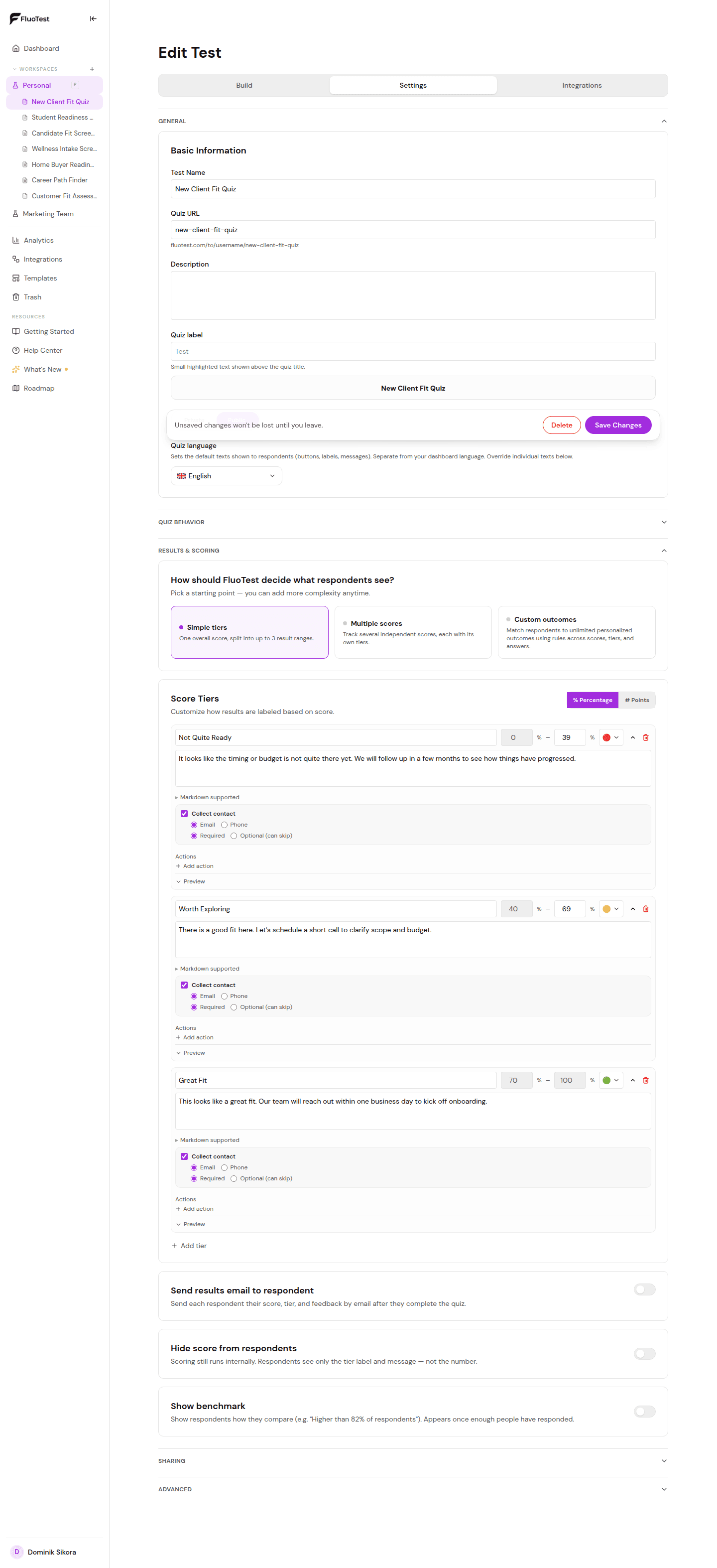
FluoTest is a free quiz builder built for scored assessments. You assign weighted point values to each answer across multiple score categories, so usage depth, feature breadth, stakeholder engagement, and value realization can each carry a different score instead of collapsing into one number that hides which one is actually the problem.
Every submission triggers an email with the full score breakdown, so the account owner sees the result the moment a check-in is completed. Webhooks push the same data into Zapier, Make, or n8n so you can update the account's health field in your CRM or drop a Slack alert when a score crosses into the at-risk tier, and per-question drop-off analytics show you exactly where a rushed check-in stalls out.
Try it: fluotest.com
How to Build a Product Adoption Score in 5 Steps
1. Pick the categories that actually predict renewal
Start with three or four: Usage Depth (how much of the core workflow they use), Feature Breadth (how many features beyond the basics they have adopted), Stakeholder Engagement (how many of the people who should be using it are active), and Value Realization (whether they can point to the outcome they bought the product for). Skip categories you cannot honestly score.
2. Decide who answers it and when
Two models work: a CSM scores the account during a quarterly business review using what they know from calls and usage data, or the customer answers a short self-serve check-in you send at 30, 60, and 90 days post-onboarding. Pick one to start, mixing both adds complexity before you know the score is useful.
3. Write weighted questions per category
Use multiple-choice with graduated point values for usage frequency and feature count, a multi-select to check off which teams or roles are active, and one open question asking what outcome they were hoping for, so a low score comes with context instead of just a number.
4. Set score tiers and the rule for each one
Define at-risk, stable, and expansion-ready tiers per category, not just overall. An account can be usage-heavy but stakeholder-thin, that combination is an expansion risk even though the overall score looks fine. Write the conditional rule that flags that specific pattern instead of averaging it away.
5. Automate what happens at each tier
At-risk triggers an email to the CSM and a same-day Slack alert. Stable logs the score and moves on. Expansion-ready routes to the account owner with a note to raise the upsell conversation. Connect a webhook so the score updates a CRM field automatically instead of someone copying it over by hand.
Why a Scored Check-In Beats a Dashboard Alone
- -Captures signals your product analytics cannot see, like whether the champion left or the use case shifted
- -Weighted scoring keeps stakeholder engagement from getting buried inside a single blended health number
- -Conditional rules flag specific risk patterns, like heavy usage with a thin stakeholder base, that a flat score misses
- -Results arrive by email the moment a check-in is submitted, no waiting for the next dashboard refresh
- -Webhooks push the score into your CRM or Slack automatically, so the CSM does not have to remember to update it
- -Per-question drop-off analytics show which section a rushed check-in gets abandoned in
- -Free to run across your entire book of accounts, no per-seat or per-response cost
Who Should Build a Product Adoption Score?
- -Customer success teams running quarterly business reviews and needing a consistent way to score every account
- -CS leaders who want an early warning system for churn risk that goes beyond login counts
- -Onboarding teams checking whether a customer actually reached first value at 30 or 60 days
- -SaaS founders doing CS themselves who need a lightweight way to triage a growing account list
- -Account managers building the case for an expansion conversation with a specific, defensible score
Frequently Asked Questions
How is this different from a customer health score in my CRM?
A CRM health score is usually a formula built from product analytics fields you already track. A scored quiz captures what analytics cannot, direct answers from the CSM or the customer about stakeholder engagement and value realization, and can feed that score into the same CRM field through a webhook.
How often should customers or CSMs fill it out?
Quarterly for a CSM-scored version tied to business reviews, or at fixed onboarding milestones, 30, 60, and 90 days, for a customer-facing self-serve version. Running it more often than that usually just adds fatigue without changing the score much.
What should happen when usage is high but stakeholder engagement is low?
Flag it as an expansion risk, not a healthy account. A single champion using the product heavily looks fine on a blended score but is one departure away from churn. FluoTest's conditional logic lets you write that exact rule instead of averaging the categories together.
Can I use this for a small customer base without a dedicated CS team?
Yes. A founder or account manager handling CS part-time gets the same benefit, a structured score instead of a gut feeling, and email or Slack alerts mean nothing needs a dashboard check to catch a risk in time.
Is FluoTest free to use for this?
Yes. FluoTest is free forever with no submission limits, no quiz limits, and no credit card required.
Ready to score your accounts?
FluoTest is free. No credit card required. Start in 5 minutes.
What you get with FluoTest:
- - Weighted scoring across multiple categories
- - Conditional logic that flags specific risk patterns, not just a blended average
- - Email notifications with the full score breakdown on every submission
- - Webhooks for Zapier, Make, and n8n to update your CRM automatically
- - Brevo integration to sync respondents with score attributes
- - Meta Pixel & GTM for conversion tracking
- - Per-question drop-off analytics
Questions? Read our pricing page or browse quiz templates.