Guide
How to Build an NPS Survey That Automates Follow-Up (Free Template)
Most NPS surveys end the same way: a number in a dashboard and a spreadsheet nobody opens. The detractor who just explained why they're unhappy waits days for a reply, if anyone replies at all. The promoter who'd happily leave a review never gets asked. A scored NPS survey fixes both problems by treating the response itself as the trigger, scoring it the moment someone submits and automatically routing the follow-up that matches their answer. Here's how to build one.
Quick answer
How do you build an NPS survey that automates follow-up?
Ask the standard 0-10 recommend question and sort each reply into Detractor (0-6), Passive (7-8) or Promoter (9-10) straight from that answer. Score a few driver themes alongside it (value for money, ease of doing business, support) so every low score arrives with a reason, then give each group its own action: a direct line to your team for detractors, a feedback prompt for passives, a review or referral ask for promoters. FluoTest has a free ready-made template you can publish in minutes.
What Is NPS, and Why the Score Alone Isn't Enough
Net Promoter Score asks one core question: how likely are you to recommend us to a friend or colleague, on a scale of 0 to 10. Answers of 9 to 10 are promoters, 7 to 8 are passives, and 0 to 6 are detractors. Subtract the percentage of detractors from the percentage of promoters and you get a single number that's easy to track over time.
The problem is what happens after the number. Most NPS tools stop at reporting, a chart that moves up or down each quarter. They don't tell you which specific customer needs a call today, and they definitely don't do anything about it automatically. A scored survey treats each response as a decision, not just a data point, and triggers the next step immediately.
Why Build It in FluoTest
FluoTest turns the NPS survey into a scored quiz. The 0-10 recommend question decides the group on its own: 9 or 10 is a Promoter, 0 to 6 a Detractor, and everyone else a Passive. The other answers score four themes, Loyalty, Value for money, Ease of doing business and Service & support, which your team sees as a radar chart on each response, so you know why a customer landed where they did. An open question asks for the main reason behind the score, in the customer's own words.
Every group gets its own result screen and its own button: Leave a review for promoters, Tell us what's missing for passives, and Talk to our team for detractors, who are also told that someone will be in touch within two working days if they left an email. The buttons stay hidden until you add your own links, such as your review page or a calendar link. Connect a webhook to push detractor responses into Slack or your CRM the moment they come in, and sync Brevo so each contact carries their latest NPS tier as an attribute.
Try it: fluotest.com
How to Build an NPS Survey With Automated Follow-Up in 5 Steps
1. Start from the NPS & Loyalty Survey template
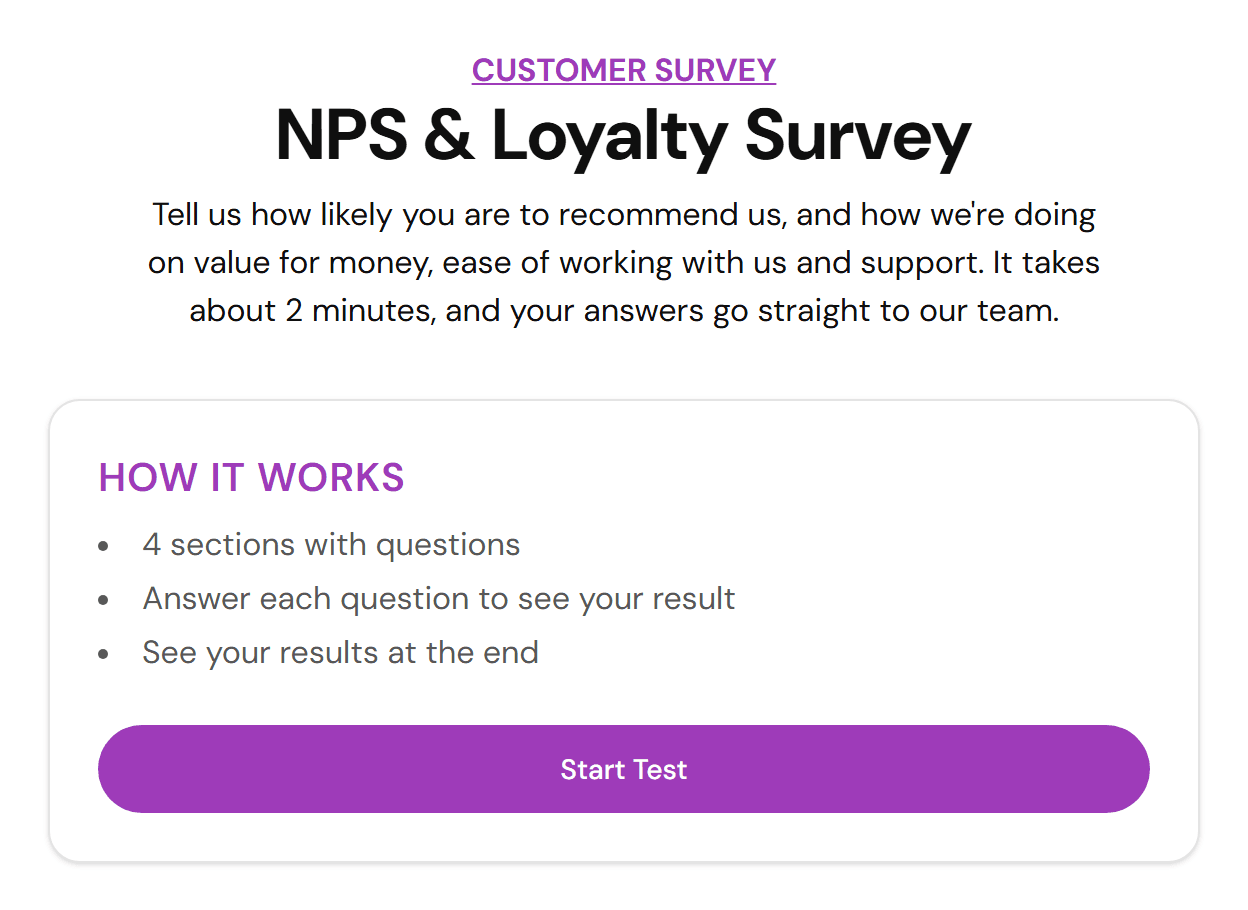
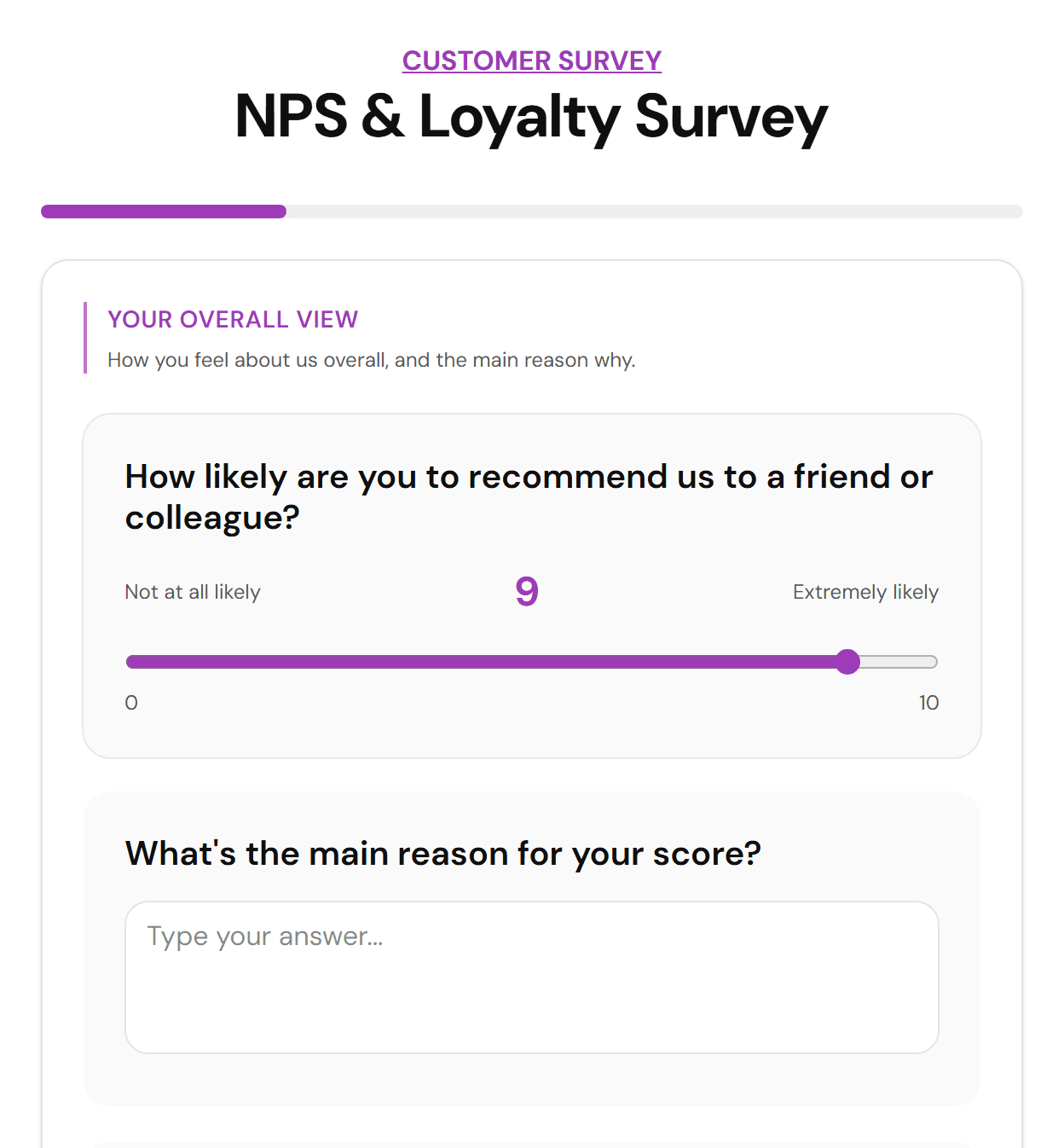
FluoTest has a free template with 12 questions: the 0-10 recommend question, an open question about the main reason for the score, and 10 scored questions across four themes (Loyalty, Value for money, Ease of doing business, Service & support). Duplicate it instead of building the scoring logic from scratch.
2. Let the recommend question decide the group
Ask the standard question on a 0-10 slider, since it's what respondents recognize and what you'll benchmark over time. In the template it decides the outcome on its own and also counts double in the Loyalty theme. Keep a few driver questions next to it, value for money, ease of doing business, support, so a low score arrives with a reason attached.
3. Set three outcomes: Detractor, Passive, Promoter
Outcome rules read the recommend answer directly: greater than 8 is a promoter, less than 7 is a detractor, and Passive is the default for 7 and 8. That is the standard NPS split, so your groups match the NPS number. Write distinct result copy for each group instead of a generic thank-you screen.
4. Give each tier its own action
Promoters see a button to leave a review, and the text asks them to pass your name on. Passives get asked what's missing. Detractors see a button to talk to your team, not a form that disappears into a queue. The template's buttons ship without links, so add your review page, feedback form and calendar link before you publish.
5. Wire up the automation and publish
Before the result, the template asks for an email address, optionally, so customers who want a reply can leave one. Connect a webhook so a detractor response pings Slack or creates a ticket immediately, and sync Brevo so every contact carries their NPS tier as an attribute for future segmentation. Then send the survey by email, embed it after a support ticket closes, or trigger it at a renewal milestone.
Why Score NPS Instead of Just Reporting It
- -Detractors get routed to your team the moment they respond, not whenever someone reviews the spreadsheet
- -Promoters get asked for a review or referral while the goodwill is fresh, not three weeks later in a mass email
- -Driver questions attach a reason to every score, so you're not guessing why the number moved
- -Webhooks push responses into Slack, a CRM, or a ticketing tool without anyone manually triaging a spreadsheet
- -Brevo sync keeps each contact's NPS tier current, so it's usable in email segments instead of stuck in a survey tool
- -One quiz replaces a survey tool, a spreadsheet, and a manual follow-up process
Who Should Build a Scored NPS Survey
- -Customer success teams who want detractors escalated automatically instead of waiting for a weekly review
- -SaaS companies running NPS after onboarding, at renewal, or on a quarterly cadence
- -Agencies and consultants checking in with retainer clients between projects
- -Subscription and membership businesses that need an early signal before churn
- -Support teams that want a lightweight follow-up survey after a ticket closes
Frequently Asked Questions
What is a good NPS score?
Above 0 is generally considered positive, above 30 is great, and above 70 is world-class, though what counts as good varies a lot by industry. The trend over time matters more than any single benchmark.
How do you calculate NPS from survey responses?
Subtract the percentage of detractors, scores 0-6, from the percentage of promoters, scores 9-10, ignoring passives at 7-8. FluoTest's outcomes put each respondent in one of these three groups straight from their 0-10 answer, and on Pro, Analytics calculates the NPS from those answers for you.
Can I automate follow-up emails based on NPS score?
Yes. Connect a webhook to Zapier, Make, or n8n to trigger a follow-up email, a Slack alert, or a CRM task the moment someone submits, filtered by which tier they landed in.
Is this different from a dedicated NPS tool like Delighted or Wootric?
Dedicated NPS tools are built for one thing: tracking the score over time. FluoTest is a general scored quiz builder, so the same logic, weighted answers, score tiers, automated actions, also works for onboarding checks, lead qualification, and any other survey where the response should trigger a next step.
Is FluoTest free to use for NPS surveys?
Yes. FluoTest is free forever, with no submission limits and no credit card required to start.
Ready to automate your NPS follow-up?
FluoTest is free. No credit card required. Start in 5 minutes.
What you get with FluoTest:
- - Weighted scoring across the recommend question and driver questions
- - Outcomes that read the 0-10 answer, with a distinct action per group
- - Email notifications with the full score on every submission
- - Webhooks for Zapier, Make, and n8n
- - Brevo integration to sync each contact's NPS tier
- - Per-question drop-off analytics
Questions? Read our pricing page or browse quiz templates.