Guide
How to Migrate from ScoreApp to FluoTest: The Complete Guide
If you built your lead-scoring quiz in ScoreApp and you're looking at the renewal invoice, you don't have to start over somewhere else. FluoTest has a built-in importer that reads your ScoreApp account directly, so pulling a quiz across takes minutes instead of a weekend of rebuilding questions, answer options, and score tiers by hand. This guide walks through the entire migration: why teams make the move, exactly what the import does and doesn't carry over, and the short checklist to run before you publish.
Quick answer
What's the fastest way to migrate a ScoreApp quiz to FluoTest?
Generate a ScoreApp API key, then in FluoTest go to Dashboard, Tests, Create, Import from another tool, ScoreApp, and paste the key. FluoTest pulls in your questions, answer options, and scoring categories as a private draft. Review anything flagged as unmapped, then publish. The whole process usually takes under ten minutes and your ScoreApp account keeps working the entire time, so there's no downtime.
Why Teams Migrate Off ScoreApp
ScoreApp is a capable quiz funnel tool, but its pricing is built around tiers: Starter runs $39/month ($351/year billed annually) with 100 responses a month, Business is $99/month ($891/year) with 1,000, and Pro is $149/month ($1,341/year) with 3,000. Unlimited responses require Enterprise, from $799/month. A custom domain and dynamic PDF reports require Business or above, so a lot of teams end up paying the higher tier just to keep the features they already rely on.
The other common trigger isn't price, it's a plan change: a feature gets moved behind a higher tier, a seat gets added, or a renewal lands at a moment when the budget is being re-evaluated. In any of those cases, the actual quiz logic (the questions, the point values, the tiers) is usually fine. What people are really looking for is a way to keep that logic and stop paying for it every month.
That's what the import is for. It doesn't touch your live ScoreApp quiz or account, it just reads the quiz definition through ScoreApp's API and rebuilds it inside FluoTest as a private draft, so you can compare the two side by side before deciding to switch traffic over.
What You're Migrating To
FluoTest is a free scored quiz builder. You assign point values to answers, define score tiers or full branching outcomes, and set an action per result: collect an email, book a calendar call, redirect to a URL, or unlock a coupon code. Every submission fires an email notification with the score and the full answer breakdown, so nothing needs a separate reporting tool to see what came in.
The core funnel, score tiers, conditional actions per tier, multi-score categories, custom outcomes, email notifications, a shareable quiz link, and embedding on your own site, is free with no response limits and no quiz limits. A branded domain, team workspaces, and the wider integration hub (Google Sheets, Slack, HubSpot, Mailchimp, Notion, Airtable) are on the Pro plan, which is a flat €12/month regardless of how many responses you get.
Try it: fluotest.com
See full FluoTest pricing · Read the full FluoTest vs ScoreApp comparison
The Migration, Step by Step
The whole import runs inside FluoTest's dashboard. You'll need read access to the ScoreApp account you're exporting from, specifically the ability to generate an API key.
1. Generate a ScoreApp API key
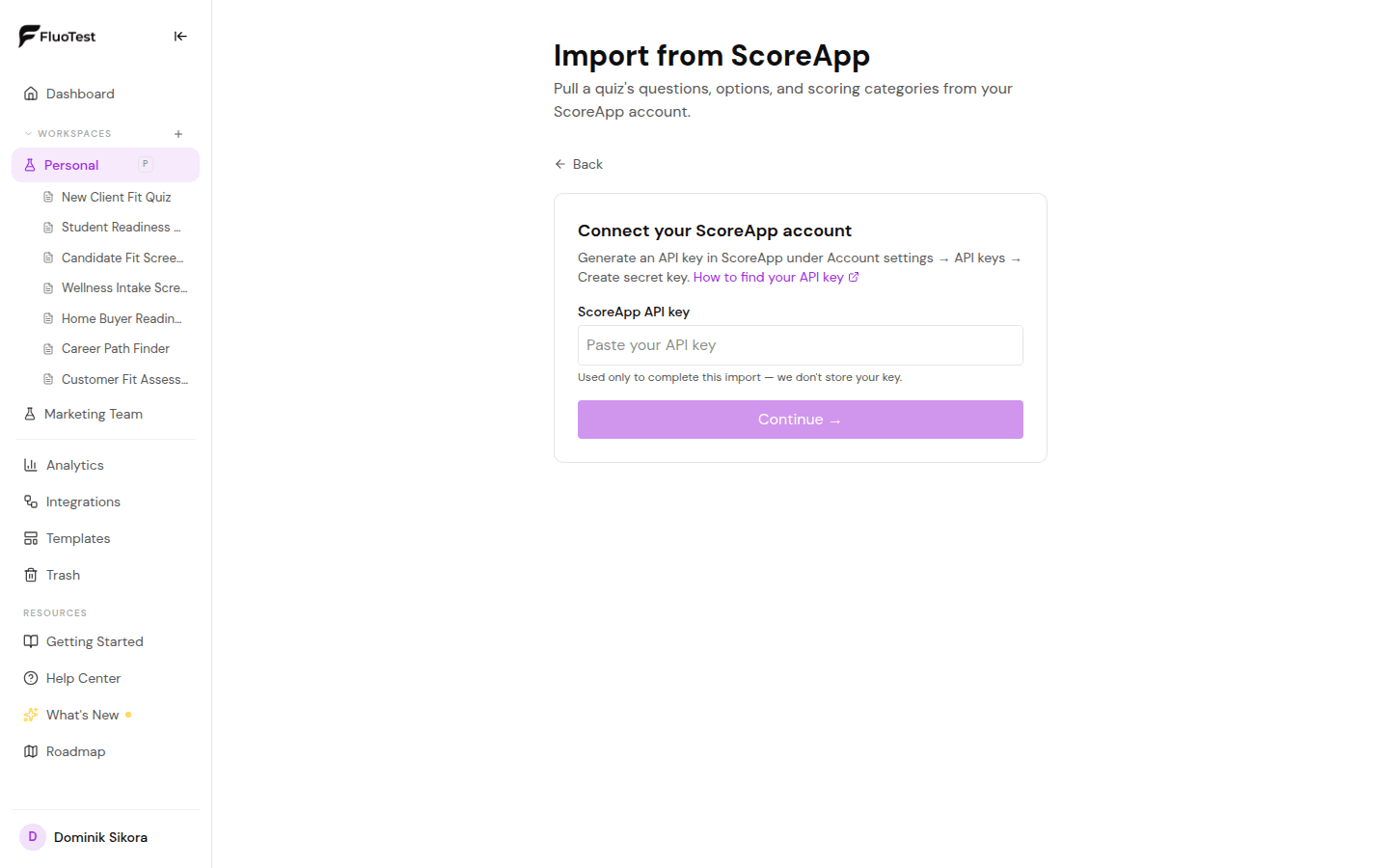
In ScoreApp, go to Account settings, then API keys, then Create secret key. Copy it somewhere you can paste it in the next step. You don't need to change anything else in ScoreApp, and your live quiz keeps running normally.
2. Start the import in FluoTest
In your FluoTest dashboard, go to Tests, Create, then Import from another tool, and choose ScoreApp. Paste the API key when asked. FluoTest uses it once, to read your account and complete the import, it isn't stored afterward.
3. Pick the quiz to import
FluoTest lists the quizzes it found on your ScoreApp account. Choose the one you want to bring over. If you run several ScoreApp quizzes, you can repeat this whole process for each one; there's no limit on how many you import.
4. Let FluoTest map the structure
FluoTest reads the questions, answer options, and scoring categories and rebuilds them as a FluoTest quiz. Anything it couldn't map one to one (an unusual question type, a scoring rule with no direct equivalent) is called out in a summary so you know exactly what to double check.
5. Review the private draft
The imported quiz is created as a draft, visible only to you. Nobody can submit responses to it yet. This is the point to walk through every question and score tier and confirm they read the way you expect.
6. Fix anything flagged in the summary
Go through the unmapped items list from step 4 one by one. Most are quick fixes, rewording a question, re-checking a point value, or splitting a multi-select option, rather than rebuilding anything from scratch.
7. Publish when it's ready
Once the draft looks right, publish it the same way you would any FluoTest quiz. You get a shareable link and an embed snippet immediately, so you can start sending traffic to the FluoTest version whenever you're ready to retire the ScoreApp one.
What Actually Transfers
The import is built to carry over the structural parts of a quiz, the parts that would otherwise take the longest to rebuild by hand. A few things are specific to ScoreApp's platform and don't have a FluoTest equivalent to map onto, so those are worth knowing about before you start.
Imported automatically
- All questions and their order
- Answer options for each question
- Point values assigned to each answer
- Scoring categories and score ranges
- Basic question structure and branching where a direct equivalent exists
Needs a quick look after import
- Any ScoreApp-specific question type without a direct FluoTest equivalent
- Result page copy and branded styling, since FluoTest's editor works differently
- CRM/integration connections, which need to be reconnected on the FluoTest side
- Historical submissions and analytics, which stay in ScoreApp and aren't imported
- AI-generated quiz copy, since ScoreApp's AI content generation output is imported as static text like everything else
None of this blocks the import, it just means the draft is a very strong starting point rather than a pixel-perfect clone. Budget 10 to 20 minutes to walk through the flagged items before you publish.
Before You Publish: A Short Checklist
Once the draft is in good shape, run through this before sending it live:
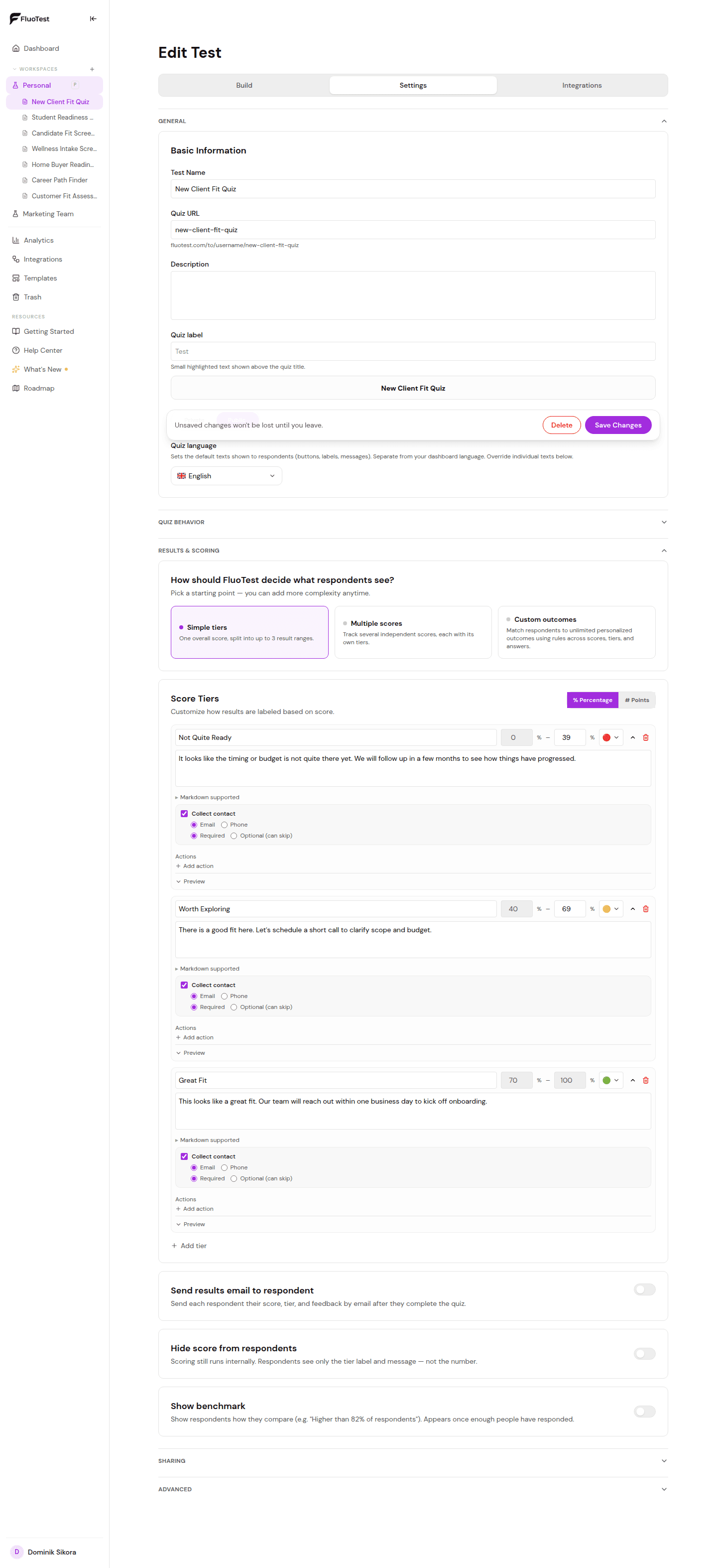
- -Open the score tiers editor and confirm each tier's range and label match what you had in ScoreApp
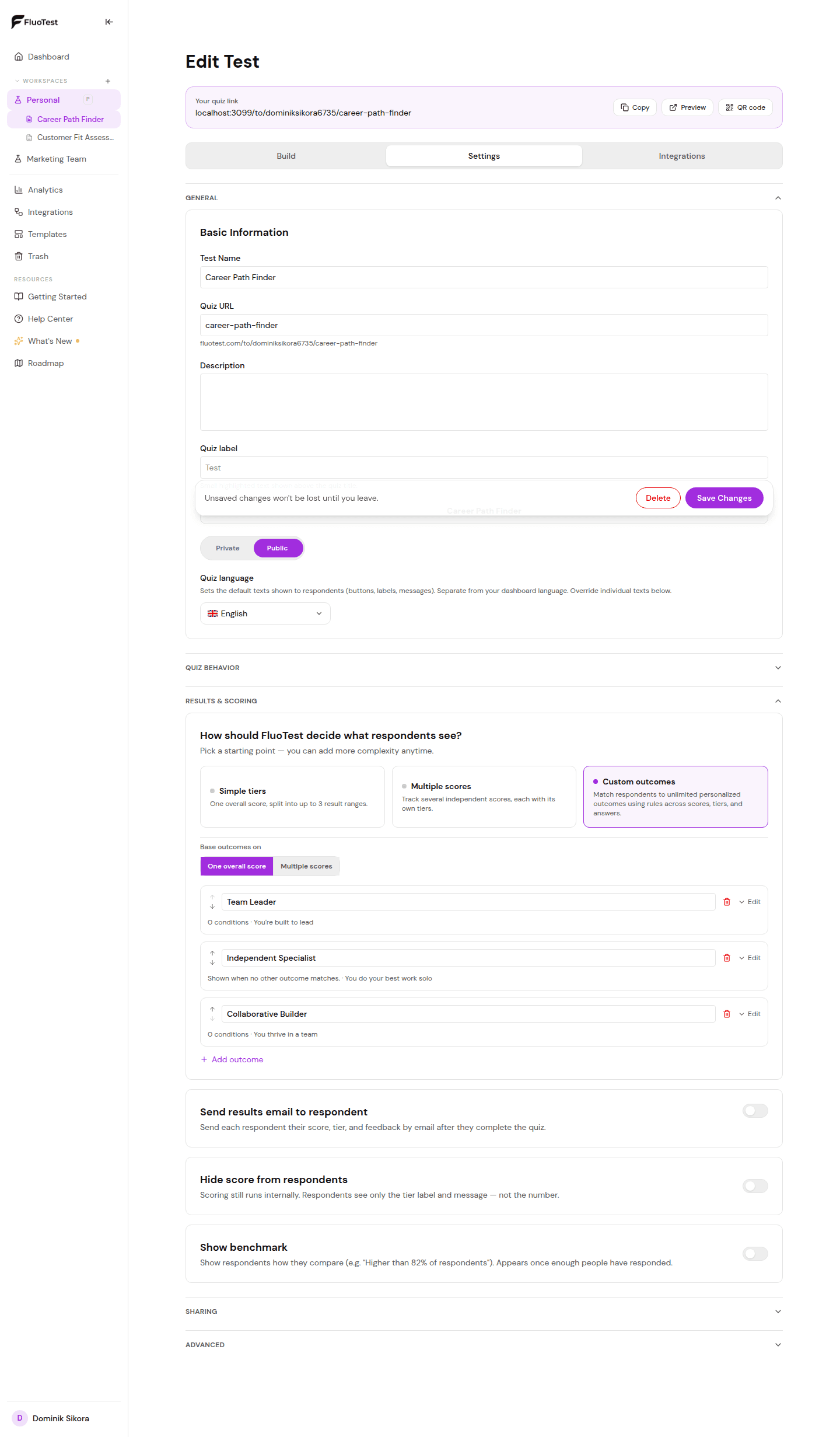
- -If you use multiple score categories or branching outcomes, check each outcome's message and attached action
- -Reconnect any integrations you rely on (Brevo, Meta Pixel, Google Tag Manager, or a Zapier/Make/n8n webhook)
- -Preview the quiz end to end as a respondent would see it, on both desktop and mobile
- -Decide whether you're running both tools in parallel for a short overlap period, or cutting over immediately
What You Get by Switching
- -No monthly bill for the core quiz funnel; FluoTest's free plan has no response or quiz limits
- -A private draft to review before anything goes live, so migrating carries no risk to your current funnel
- -Native integrations (Brevo, Meta Pixel, Google Tag Manager, Zapier/Make/n8n) included free, with Google Sheets, Slack, HubSpot, Mailchimp, Notion, and Airtable on Pro
- -Quizzes run in 10 languages out of the box (English, Czech, Dutch, German, French, Spanish, Polish, Portuguese, Italian, and Slovak)
- -An MCP server so AI assistants like Claude or ChatGPT can build or edit quizzes for you directly
- -Email notifications with the full score breakdown on every submission, no separate reporting dashboard required
- -A flat €12/month Pro tier if you need a branded domain, team workspaces, or the wider integration hub, instead of ScoreApp's per-tier pricing
Who This Migration Is For
- -Anyone paying for ScoreApp Standard or Scale mainly to unlock features the Starter tier locks away
- -Teams that built one or two lead-scoring quizzes and don't need ScoreApp's built-in coaching content or community
- -Businesses that just had a ScoreApp renewal notice land and want to compare a free alternative before paying it
- -Anyone who wants their scoring logic to keep working exactly as-is, just without rebuilding it by hand
- -Teams that want AI assistants to be able to edit their quiz directly through FluoTest's MCP server
- -Agencies managing quizzes for multiple clients, where the per-quiz ScoreApp cost adds up fastest
Frequently Asked Questions
Will importing affect my live ScoreApp quiz?
No. The import only reads your ScoreApp account through its API, it doesn't modify or delete anything on the ScoreApp side. Your live quiz keeps collecting responses normally until you decide to switch traffic to the FluoTest version.
Is my ScoreApp API key stored anywhere?
No. FluoTest uses the key once, to complete the import, and doesn't store it afterward. You can revoke or regenerate the key in ScoreApp immediately after the import finishes if you'd rather not keep it active.
What happens to my past ScoreApp submissions and analytics?
They stay in ScoreApp. The import brings over the quiz structure (questions, answers, scoring), not historical response data. If you need those records, export them from ScoreApp before you retire the account.
Can I import more than one ScoreApp quiz?
Yes. There's no limit on how many quizzes you import, and each one goes through the same Dashboard, Tests, Create, Import from another tool flow. Repeat it for every ScoreApp quiz you want to bring across.
What if a question type doesn't have a FluoTest equivalent?
FluoTest flags anything it couldn't map exactly in a summary after the import, so you know precisely what to check. In practice this is usually a small number of items, and most just need a quick edit rather than a rebuild.
Do I need a Pro account to use the importer?
No, the ScoreApp importer is available on FluoTest's free plan. Multi-score categories and custom outcomes are both free too. You'd only need Pro if the quiz itself relies on Pro-only features like a branded domain or team workspaces.
How long does the whole migration take?
Generating the API key and running the import itself takes a couple of minutes. Reviewing the draft and fixing anything flagged usually adds another 10 to 20 minutes, so most single-quiz migrations are done well within half an hour.
Bring your ScoreApp quiz over in minutes
Keep the scoring logic you already built. Lose the monthly bill.
Start your free migration:
- - One-click import from your ScoreApp account
- - Private draft, review everything before it goes live
- - Free core plan, no response or quiz limits
- - Native Brevo, Meta Pixel, GTM, and webhook integrations
Questions before you switch? Check our pricing page or read the full ScoreApp import guide.