Guide
How to Build a Remote Work Readiness Assessment (Free Template)
Most remote-work checklists ask about internet speed and call it done. That misses the half of remote readiness that actually predicts whether someone thrives or quietly struggles: focus without supervision, comfort with async communication, and boundaries between work and everything else. A scored readiness assessment measures both the practical setup and the habits and mindset, then tells you exactly who needs support and where. Here is how to build one.
Quick answer
How do you build a remote work readiness assessment?
Score two things separately, the practical setup (workspace, connectivity, support systems) and the habits that make remote work stick (focus, async communication, boundaries), then use a single weighted score with tiered outcomes to flag who needs support before it turns into disengagement. FluoTest has a free ready-made template you can publish in minutes.
What Is a Remote Work Readiness Assessment?
A remote work readiness assessment measures how prepared someone is to work effectively outside a traditional office. It covers the physical setup (workspace, internet), their experience, and the support systems around them, and, just as important, the habits and mindset remote work demands: focus without supervision, comfort with async communication, and the discipline to set boundaries.
A scored version turns that into a single, weighted number instead of a subjective yes or no. Each answer carries a point value, the total maps to a readiness tier, and conditional result copy tells the respondent exactly what to fix first instead of a generic pass or fail.
Why Use FluoTest to Build It?
FluoTest is a free quiz builder built for scored assessments. You assign point values to each answer, mix question types, multiple choice, multi-select, number, yes or no, in the same quiz, and set score-range outcomes that change the result copy and recommended next step based on where someone lands.
Every submission triggers an email with the score breakdown, so a manager or HR team sees the result the moment someone completes it. Connect Brevo to sync respondents with their readiness score as a contact attribute, use webhooks for Zapier, Make, or n8n to route low scores into a follow-up workflow, and check per-question drop-off analytics to see where people stall out.
Try it: fluotest.com
How to Build a Remote Work Readiness Assessment in 6 Steps
1. Start from the ready-made template
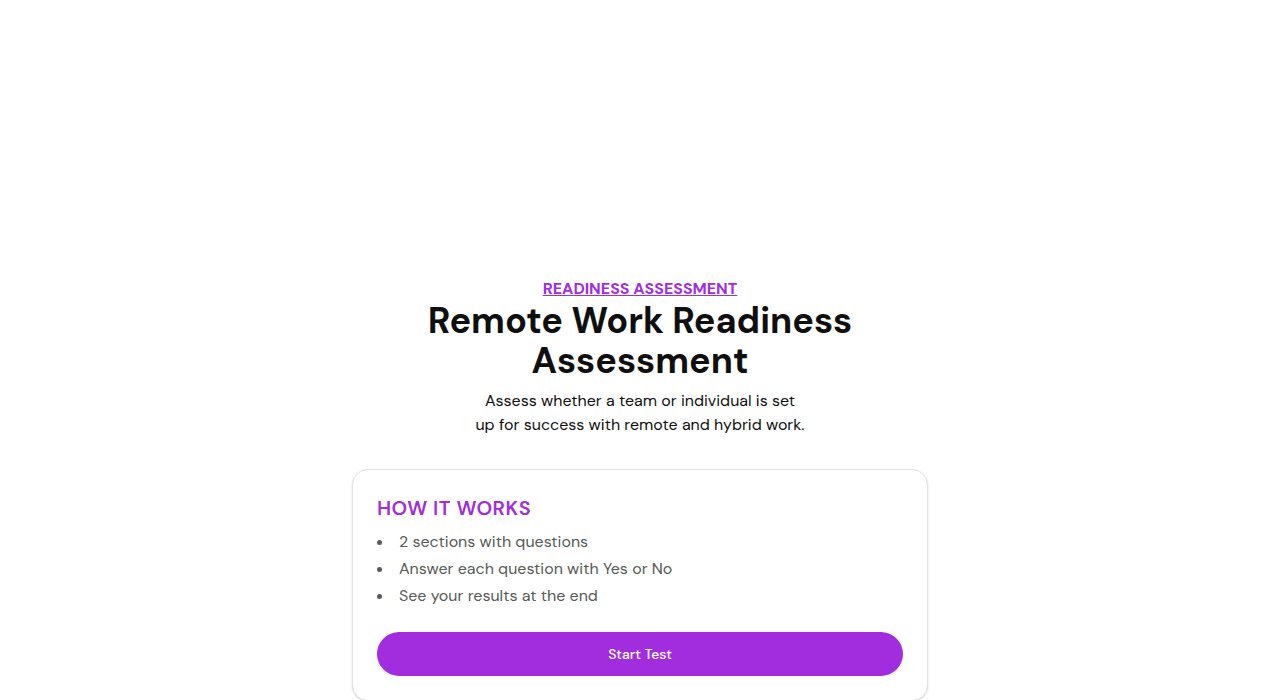
FluoTest has a free Remote Work Readiness template with setup, experience, habits, and mindset questions already weighted and scored. Duplicate it and adjust the wording to your team instead of starting from a blank quiz.
2. Split the questions into two sections
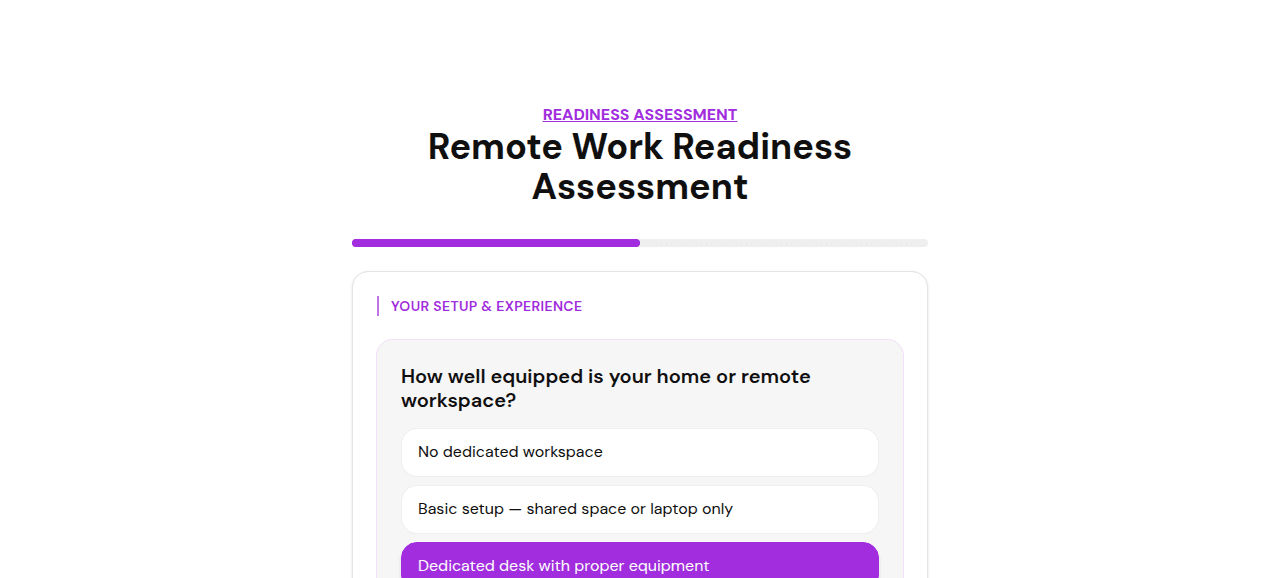
Setup & Experience (workspace, internet reliability, years of remote experience, existing support systems) and Habits & Mindset (focus, async comfort, boundaries, team connection, routine). Keeping them as separate sections makes the results easier to read even though they roll into one score.
3. Weight the questions that matter most
Give the practical basics, a dedicated workspace, reliable internet, real weight, since they are the hardest to fix quickly. Use a multi-select for existing support systems (employer stipend, manager check-ins, documented processes, async norms) so people get credit for each one already in place.
4. Add a number question for experience
A years-of-remote-experience question with scored ranges (0, 1, 2 to 4, 5+) rewards track record without turning it into a multiple-choice guessing game.
5. Set score-range outcomes, not a single pass or fail
Three tiers work well: Not Remote-Ready, Developing Readiness, and Remote-Ready. Write result copy for each tier that names the likely gap and one concrete next step, not just a score and a label.
6. Publish and route the results
Send it to new hires before their first remote week, or run it quarterly with existing remote teams to catch drift. Connect a webhook to flag low scores in Slack or your HRIS so a manager follows up before it turns into disengagement or churn.
Why a Scored Readiness Assessment Beats a Checklist
- -Separates the fixable basics, equipment, internet, from the harder habits, focus, boundaries, async comfort
- -Weighted scoring means the questions that matter most actually move the result
- -Score-range outcomes give a specific next step instead of a flat yes or no
- -Results arrive by email the moment someone submits, so managers do not have to chase them down
- -Multi-select scoring gives credit for each support system already in place, not just a single checkbox
- -Drop-off analytics show which questions people abandon, useful for spotting a question that needs rewording
- -Webhooks push low scores straight into Slack or your HRIS so follow-up happens automatically
Who Should Build a Remote Work Readiness Assessment?
- -HR and People teams screening new hires before a fully remote or hybrid role
- -Managers checking in with existing remote teams to catch burnout or disengagement early
- -Companies transitioning from office-based to remote or hybrid work
- -Remote-first startups building a consistent onboarding experience across time zones
- -Consultants and coaches advising clients on remote-work policy and team structure
Frequently Asked Questions
How is this different from a simple work-from-home policy checklist?
A checklist is binary, has equipment or does not. A scored assessment weighs how well-equipped someone is, adds habits and mindset a checklist cannot capture, focus, async comfort, boundaries, and turns the total into a specific readiness tier with a recommended next step.
How many questions should the assessment have?
Around ten works well: four on setup and experience, six on habits and mindset. Enough to weight the score meaningfully without turning it into a long survey.
Should I use this for hiring or for existing employees?
Both. Use it during onboarding to flag who needs extra support setting up, and run it periodically with existing remote employees to catch when someone's readiness is slipping before it shows up as disengagement.
What should happen when someone scores in the lowest tier?
Flag it for a manager conversation, not a rejection. FluoTest's score-range outcomes let you write result copy that names the specific gap, workspace, connectivity, or habits, so the follow-up conversation starts with data instead of guesswork.
Is FluoTest free to use for this?
Yes. FluoTest is free forever with no submission limits, no quiz limits, and no credit card required.
Ready to build your readiness assessment?
FluoTest is free. No credit card required. Start in 5 minutes.
What you get with FluoTest:
- - Weighted scoring across multiple question types
- - Score-range outcomes with custom result copy per tier
- - Email notifications with the full score on every submission
- - Brevo integration: auto-sync respondents with score attributes
- - Webhooks for Zapier, Make, and n8n
- - Per-question drop-off analytics
Questions? Read our pricing page or browse quiz templates.