Guide
eNPS Survey Follow-Up Questions: How to Ask the Right Question for Every Score
An eNPS survey gives you one number in about ten seconds per employee. The number tells you how many people would recommend your company as a place to work. It does not tell you why, and it does not tell you what to do next. That part comes from the follow-up question, and most teams ask the same generic "any comments?" to everyone. This guide covers how eNPS is calculated, which follow-up questions to ask promoters, passives and detractors, and how to set up a survey that picks the right question and the right next step automatically, without breaking anonymity.
Quick answer
What follow-up questions should you ask after an eNPS survey?
Ask a different follow-up for each group. Promoters (9-10): what keeps you here, and what should we never change? Passives (7-8): what one change would make this a 9 or 10 for you? Detractors (0-6): what is the main reason for your score, and what would need to change first? In FluoTest you can show each question only to the group it belongs to, give each group its own result screen and next step, and keep the survey anonymous with Anonymous mode (GDPR), which is free and stores no name, email or other personal data.
Open the free employee engagement (eNPS) template
What Is eNPS and How Is It Calculated?
Employee Net Promoter Score (eNPS) is the workplace version of the customer Net Promoter Score. It asks one question: "How likely are you to recommend [company] as a place to work?" on a scale from 0 to 10. Answers of 9 or 10 are promoters, 7 or 8 are passives, and 0 to 6 are detractors.
The score is the percentage of promoters minus the percentage of detractors. Passives count toward the total number of responses but not toward either side. The result runs from -100 (everyone is a detractor) to +100 (everyone is a promoter).
Formula: eNPS = % promoters (9-10) - % detractors (0-6)
Example: 50 employees respond: 20 promoters (40%), 18 passives and 12 detractors (24%). eNPS = 40 - 24 = +16.
Why the Follow-Up Question Is Where the Value Is
eNPS is good at one thing: tracking a trend. If it drops from +16 to -4 between two quarters, you know something changed. You do not know whether it was a reorganisation, a manager, pay, workload or a single bad week. Without a follow-up question, the score starts a meeting about guessing.
The follow-up also works best when it fits the answer. Asking a 10 "what should we improve?" gets a polite shrug. Asking a 3 "what do you like about working here?" reads as tone-deaf. Each group has a different job in the survey: promoters tell you what to protect, passives tell you what would tip them over, and detractors tell you what is actually broken.
eNPS Follow-Up Questions for Each Group
Pick one or two per group. One open question for the reason, plus one closed question you can count, is usually enough. More than that and response quality drops.
Promoters
Score 9-10What you want to learn: What to protect, and who could help you hire.
- -What is the main reason you would recommend us as a place to work?
- -What is one thing we should never change?
- -Would you be open to referring someone from your network for an open role?
Automatic next step: Show a thank-you screen with a link to your employee referral page or open roles.
Passives
Score 7-8What you want to learn: The one change that would turn a 7 or 8 into a 9 or 10.
- -What is the one change that would make this a 9 or 10 for you?
- -Which of these would most improve your experience here? (recognition, growth path, manager support, flexibility, workload)
- -Is there something you expected when you joined that has not happened yet?
Automatic next step: Show a screen pointing to internal growth options or an optional 1:1 booking link.
Detractors
Score 0-6What you want to learn: What is broken, and how urgent it is.
- -What is the main reason for your score?
- -What would need to change first for you to feel differently?
- -Is this mostly about your team, your role, or the company as a whole?
Automatic next step: Show an optional, confidential way to talk to someone outside their reporting line, for example HR, and flag the response for the aggregated review.
Why Run eNPS in FluoTest
Most survey tools stop at the chart. FluoTest is a scored quiz builder: every response gets a score and an outcome, and each outcome can show its own result screen and trigger its own next step. That maps directly onto eNPS, where promoters, passives and detractors each need something different.
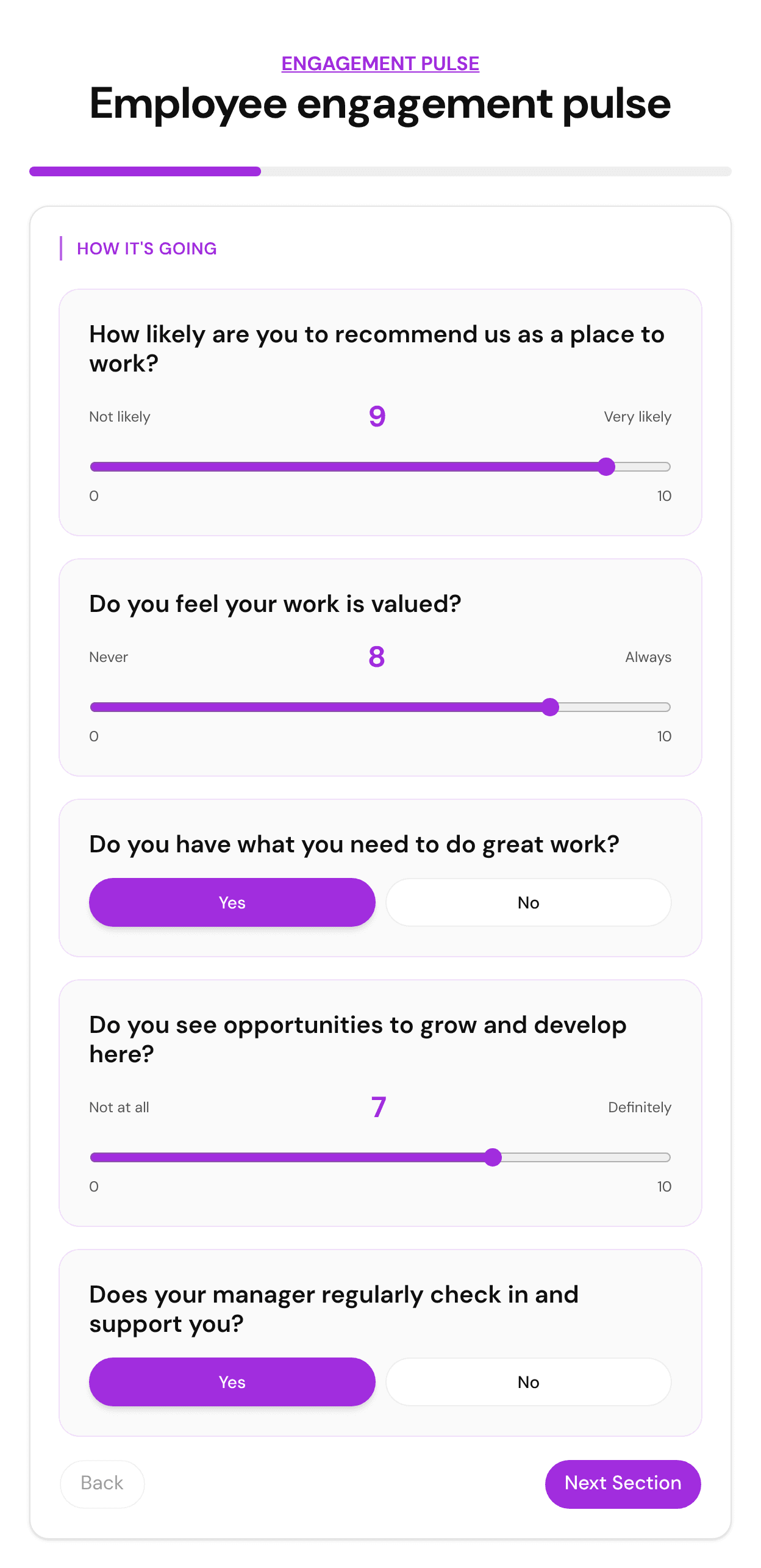
The free Employee engagement pulse template already starts with the eNPS question (a 0-10 slider, weighted double) and adds eight engagement questions across recognition, growth and support. It has no name or email question, so responses come in without contact details. Conditional questions, outcomes, webhooks and CSV export are on the free plan.
Build it free at fluotest.com
See what is free and what is Pro · How conditional logic works
How to Build an eNPS Survey With Automatic Follow-Up Questions in 6 Steps
1. Start from the Employee engagement pulse template
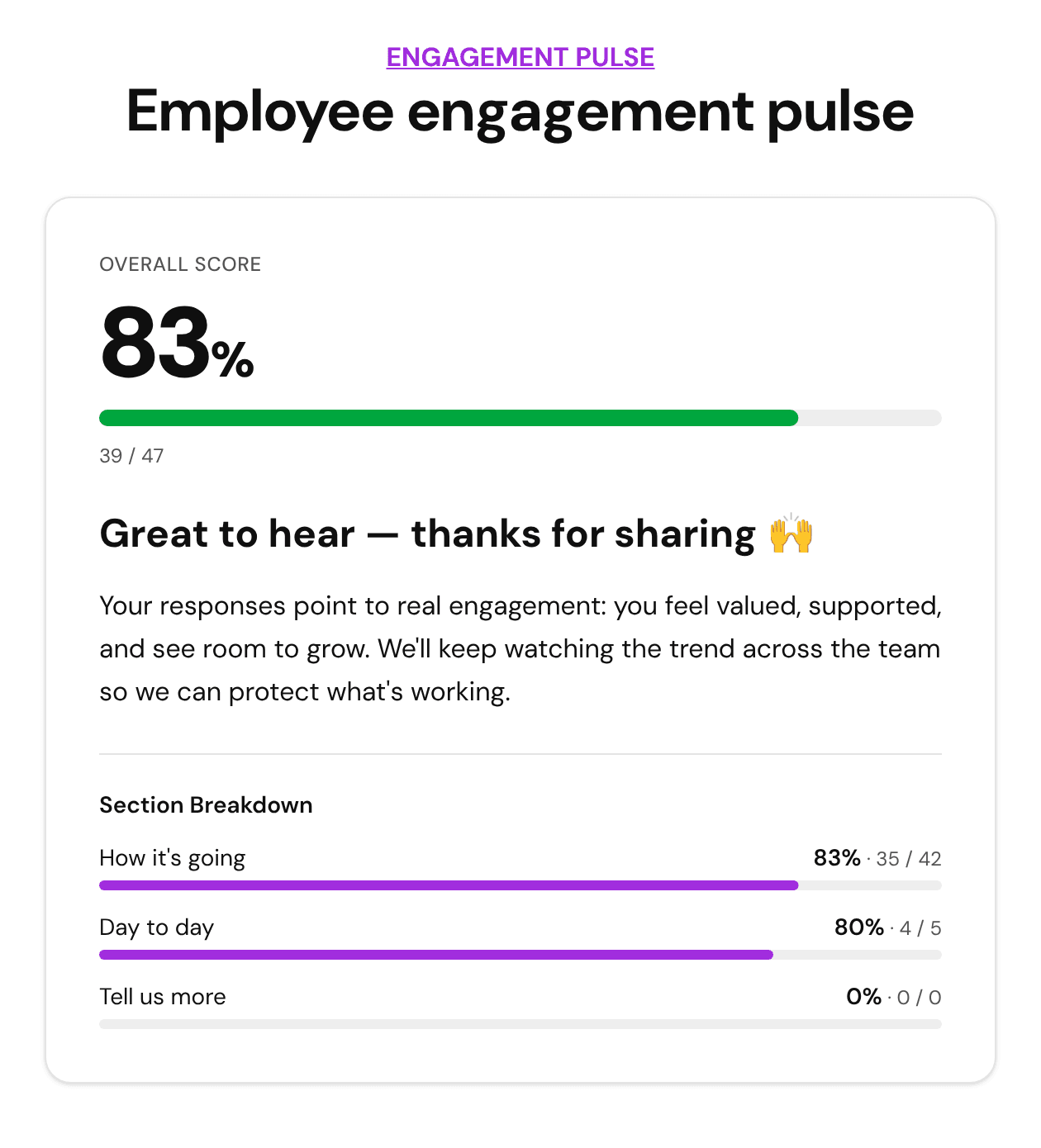
It has 9 questions in 3 sections (How it's going, Day to day, Tell us more). The first question is the standard eNPS question on a 0-10 slider. The others score recognition, growth, support and work-life balance, and the last one is an open "one thing we could do better" question.
2. Choose how to ask the eNPS question
Keep the 0-10 slider for the classic scale. To ask different follow-up questions inside the same survey, set "Show only if" on each follow-up with a numeric rule on the slider (between 0 and 6, between 7 and 8, between 9 and 10), or use branching rules to send each group to its own section. The eNPS math does not change, because the formula only counts how many people land in each group.
3. Add one follow-up question per group with Show only if
Add the promoter, passive and detractor follow-ups from the lists above, and set each one to "Show only if" the eNPS slider is in the matching range: between 0 and 6, between 7 and 8, or between 9 and 10. Every respondent sees one follow-up that fits their score. Keep one open question for everyone at the end so nobody is left without a place to explain.
4. Create three outcomes: Promoter, Passive, Detractor
Outcome rules can read the eNPS answer directly: for a slider, "greater than 8" for promoters and "less than 7" for detractors, with Passive as the default. For the multiple-choice version, match the bucket. Outcomes are checked in priority order and the first match wins, so either replace the template's three engagement outcomes or put the eNPS ones first.
5. Give each outcome its own next step
Each outcome gets its own result text and a button: a referral page for promoters, growth options or an optional 1:1 link for passives, a confidential contact outside the reporting line for detractors. Connect a webhook (free) to send each response, including its outcome, to Zapier, Make or your HR tools. Native Slack, Google Sheets and email alerts are on Pro.
6. Publish, share, and calculate the score
Share the survey link in your usual channel or embed it on an internal page. On Pro, Analytics shows the eNPS score straight away, with the number of promoters, passives and detractors. On the free plan, export the responses to CSV: each row carries its outcome, so eNPS is the share of Promoter rows minus the share of Detractor rows. Run the same question on the same schedule so the trend means something.
Keep It Anonymous: What to Watch For
People only give honest eNPS answers when they trust the survey. Automation should never make an individual employee traceable.
- -Turn on Anonymous mode (GDPR) under Publish, Access & sharing. It is free on every plan. FluoTest then stores only the answers and the score, drops any name, email or phone answers, pauses integrations and tracking pixels, and shows respondents a short note that their answers are anonymous. FluoTest never stores a respondent's IP address, device or location.
- -Watch the demographic questions. Tenure, team and location are useful, but in a small team they can identify a person. Use broad bands or drop them.
- -Remind people that open answers are read as written. A detailed story can identify someone even without a name.
- -Report in aggregate only, and set a minimum group size (for example five people) below which you do not show results by team.
- -Never route an individual detractor's answers to their own manager. Send alerts to the people who review the aggregate, and let the detractor choose whether to make contact through the result screen.
- -Say "anonymous" only if it is true. If you ask for an email for any reason, call the survey confidential instead and explain who sees what.
Templates to Start From
Three free templates cover the eNPS use case and the surveys next to it. Each opens as a live preview, nothing is saved.
Employee engagement pulse
9 questions in 3 sections, starting with the 0-10 eNPS question. Three outcomes on the overall engagement score: Engaged (67% and up), Neutral (34-66%) and Disengaged. Benchmarking across responses is switched on.
Best for: A quarterly eNPS round with a few engagement drivers.
Team Health Pulse Survey
10 questions with two separate scores, Engagement & Clarity and Burnout Risk, and four outcomes, including "Engaged but burning out" and "Coasting, not thriving".
Best for: Following up on a low or falling eNPS to see whether the problem is engagement or workload.
NPS & Loyalty Survey
The customer version: 8 questions and four outcomes (Promoter, Passive, Detractor and a "Quiet promoter" who scores high but has not referred anyone yet).
Best for: Customer NPS. Use it as a reference for the outcome setup, not for employees.
Who This Is For
- -HR and people teams who want more than a quarterly eNPS number
- -Founders and managers of small companies running their first engagement survey
- -Team leads who want a quick pulse after a reorganisation, a new policy or a tough quarter
- -HR consultants who run eNPS rounds for several clients and want the same setup each time
Frequently Asked Questions
What follow-up question should I ask after an eNPS question?
Ask a different one per group. Promoters: what keeps you here? Passives: what one change would make this a 9 or 10? Detractors: what is the main reason for your score? One open question per group, plus at most one closed question, is enough.
How is eNPS calculated?
Take the percentage of respondents who answered 9 or 10 (promoters) and subtract the percentage who answered 0 to 6 (detractors). Passives (7 or 8) count in the total but not on either side. The result is between -100 and +100.
What is a good eNPS score?
Any positive score means you have more promoters than detractors. Published benchmarks vary by source, industry and company size, so the most useful comparison is your own previous rounds, asked with the same question to a similar group.
Is an eNPS survey in FluoTest anonymous?
Yes, if you turn on Anonymous mode (GDPR), which is free on every plan. FluoTest then stores only the answers and the score, with no name, email, phone or company, and pauses integrations for the survey. FluoTest never stores IP addresses, devices or locations in any mode. Small teams, detailed demographic questions and very specific open answers can still identify people, so keep those in mind.
Can FluoTest show different follow-up questions depending on the score?
Yes. Use "Show only if" on each follow-up question and point it at the 0-10 eNPS slider with a numeric rule: between 0 and 6 for detractors, between 7 and 8 for passives, between 9 and 10 for promoters. Branching rules work the same way if you would rather send each group to its own section. Outcomes can also read the exact number and show each group its own result screen and next step.
Does FluoTest calculate the eNPS number for me?
Yes, on Pro. For a 0-10 question about recommending (or a multiple-choice question with 0-6, 7-8, 9-10 answers), Analytics shows the eNPS score with the count and share of promoters, passives and detractors. You can also switch any question on or off with "Treat as NPS / eNPS" in the editor. On the free plan, every response carries its outcome in the CSV export, and eNPS is the share of promoters minus the share of detractors.
What is the difference between eNPS and customer NPS?
The formula is the same. The audience and the next step are different: customer NPS routes detractors to a support call and promoters to a review, while eNPS has to protect anonymity and feeds an aggregated action plan. For the customer version, see our NPS survey guide.
Run your next eNPS round with follow-up built in
Start from the free template, add one follow-up per group, and let each score trigger its own next step.
Free on FluoTest:
- - Employee engagement pulse template with the eNPS question built in
- - Show only if conditional questions and outcome rules
- - Anonymous mode (GDPR) with no personal data stored
- - Webhooks and CSV export
- - Unlimited quizzes and responses
Questions first? See pricing or browse all templates.