Smazat účet
Upozornění: Smazání účtu je trvalé. Všechny vaše kvízy, odeslání a data budou odstraněny a nelze je obnovit.
- 1
Přihlaste se do dashboardu FluoTest.
- 2
Přejděte do Nastavení pomocí navigačního menu.
- 3
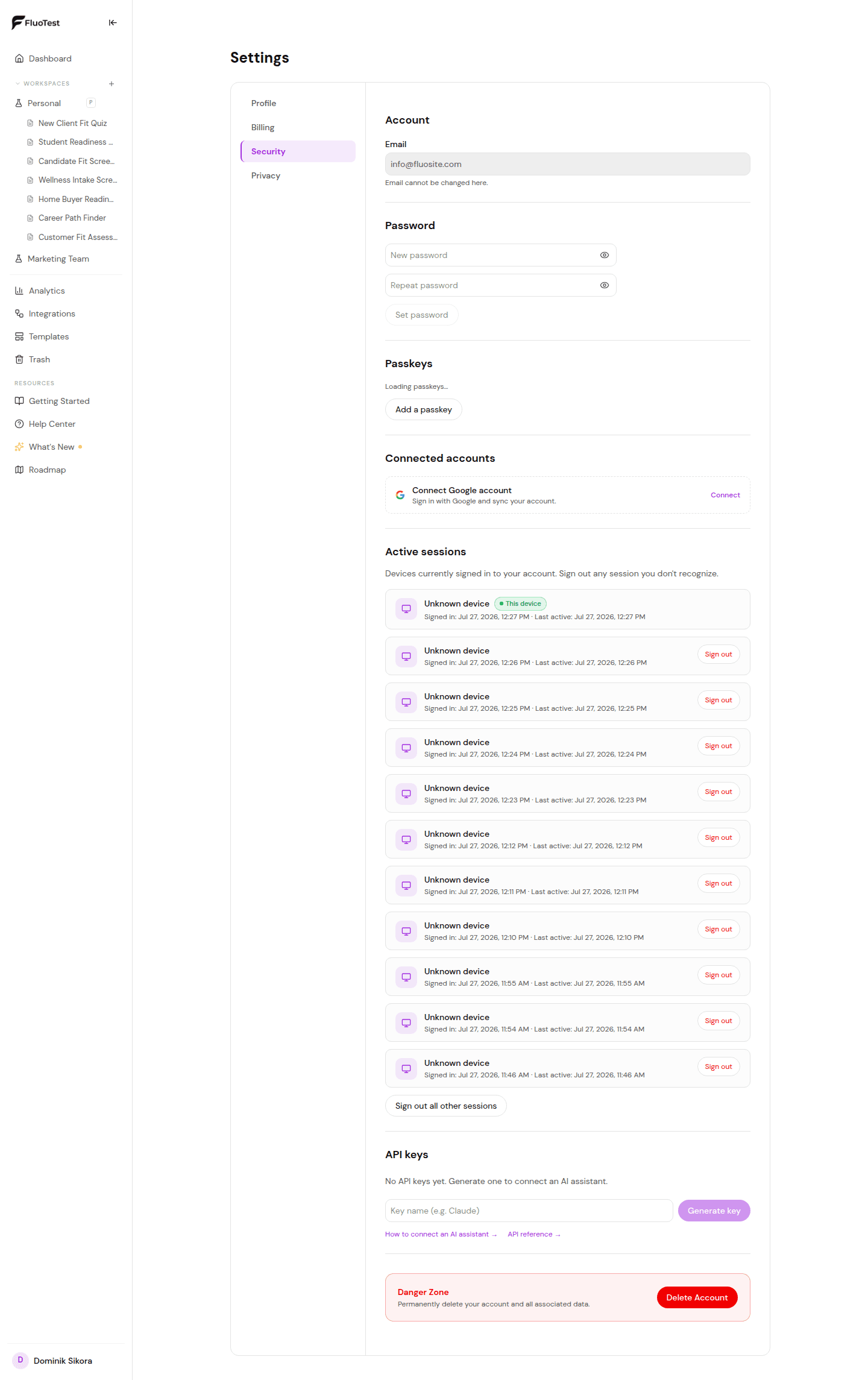
Přejděte na konec stránky nastavení a najděte sekci "Nebezpečná zóna".
- 4
Klikněte na "Smazat účet".
- 5
Budete požádáni o potvrzení zadáním vaší e-mailové adresy.
- 6
Klikněte na "Ano, smazat vše". Váš účet, kvízy, odeslání a veškerá data jsou trvale smazány.
- 7
Budete odhlášeni a přesměrováni na hlavní stránku.
Byl tento článek užitečný?