Přidejte Meta Pixel
Spusťte Meta Pixel událost, když někdo dokončí váš kvíz, abyste mohli cílit na dokončovatele nebo budovat lookalike publika.
- 1
Přejděte do nástroje pro tvorbu kvízu a otevřete záložku "Integrace".
- 2
Najděte sekci "Meta Pixel".
- 3
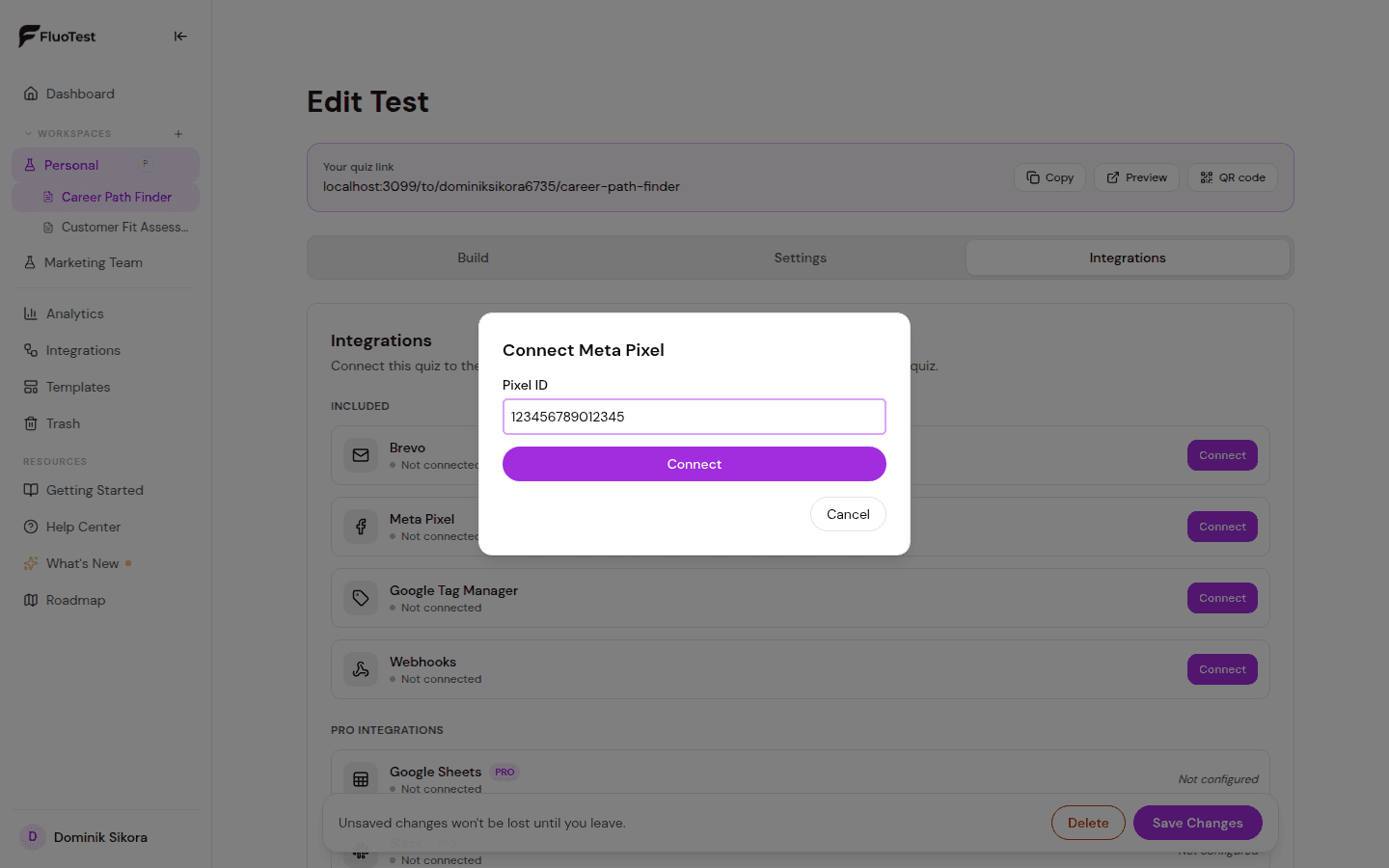
Zadejte své Meta Pixel ID. Najdete ho v Meta Events Manageru pod nastavením pixelu.
- 4
Zvolte, které události se mají odesílat. QuizStart a QuizComplete se posílají jako vlastní události Mety přesně s těmito názvy; LeadGenerated se posílá jako standardní událost "Lead" ve chvíli, kdy respondent odešle kontaktní formulář. Ve výchozím nastavení jsou zapnuté všechny tři.
- 5
Uložte kvíz.
- 6
Otestujte dokončením kvízu a zkontrolujte Meta Events Manager → Testovací události, abyste potvrdili, že se událost spustí. QuizStart a QuizComplete jsou vlastní události, hledejte je tedy mezi vlastními událostmi pixelu, ne v seznamu standardních událostí.
📸 Meta Events Manager showing the Lead event - 7
Integrace → Aktivita a log doručení u kvízu zobrazují záznam pro každé dokončení a lead: "odesláno z prohlížeče", "blokováno v prohlížeči" (blokátor reklam nebo ochrana proti sledování) nebo "bez souhlasu". Jde o to, co udělal prohlížeč respondenta. Že Meta událost skutečně přijala, potvrdí jen Meta Events Manager.
- 8
Návštěvníkům z EU/EHP se ve výchozím nastavení před spuštěním Pixelu zobrazí krátká lišta se souhlasem s cookies. Nastavíte to pro každý kvíz zvlášť v Integrace → Souhlas s cookies (Automaticky, Vždy nebo Nikdy).
Byl tento článek užitečný?