Nastavte skórovací úrovně a výsledky
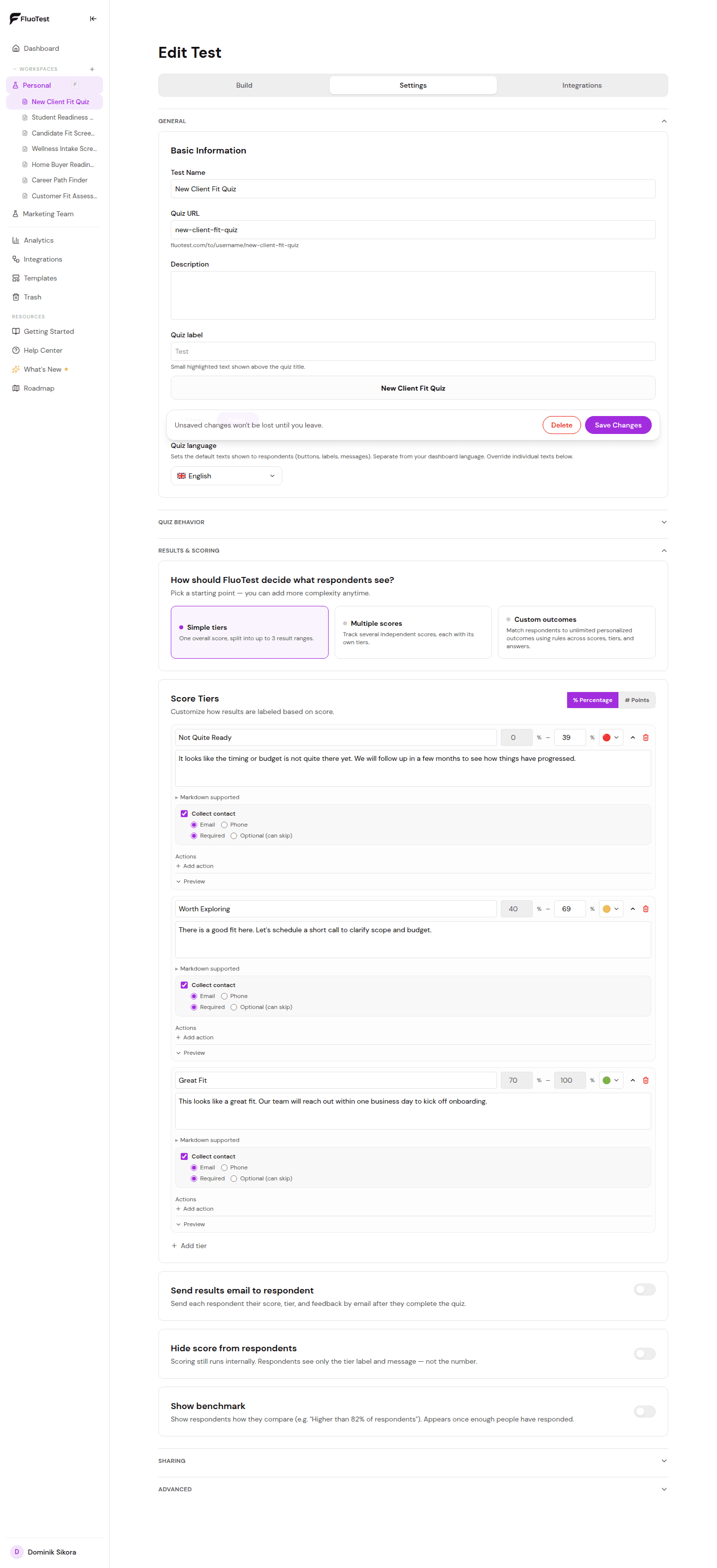
Skórovací úrovně určují, co respondent uvidí po dokončení kvízu na základě celkového skóre. Můžete nastavit až 3 úrovně: vysoká, střední a nízká.
- 1
Otevřete kvíz v nástroji pro tvorbu, rozbalte „Výsledky a skórování“ a zvolte výchozí možnost „Jednoduché úrovně“.
- 2
Klikněte na "Přidat úroveň" a vytvořte novou úroveň.
- 3
Nastavte rozsah skóre (minimum a maximum v procentech) pro tuto úroveň. Například: 70–100 pro vysoce vhodné zájemce.
- 4
Napište název pro tuto úroveň, například "Vysoká shoda" nebo "Skvělá volba".
- 5
Zvolte, co se stane, když někdo dosáhne této úrovně: zobrazit zprávu, ukázat odkaz na rezervaci nebo přesměrovat na URL. Pokud se mají na e-mail nebo telefon ptát jen některé úrovně, použijte „Po odeslání“ pod úrovněmi.
- 6
Napište zprávu, kterou respondenti uvidí. Udělejte ji konkrétní a odpovídající jejich skóre.
- 7
Opakujte pro střední a nízkou úroveň.
- 8
Uložte kvíz. Úrovně začnou platit okamžitě.
Byl tento článek užitečný?