Nastavte Zapier webhook
Použijte Zapier webhook k odesílání výsledků kvízu do libovolného nástroje — vašeho CRM, Notionu, Google Tabulek nebo kamkoli jinam.
- 1
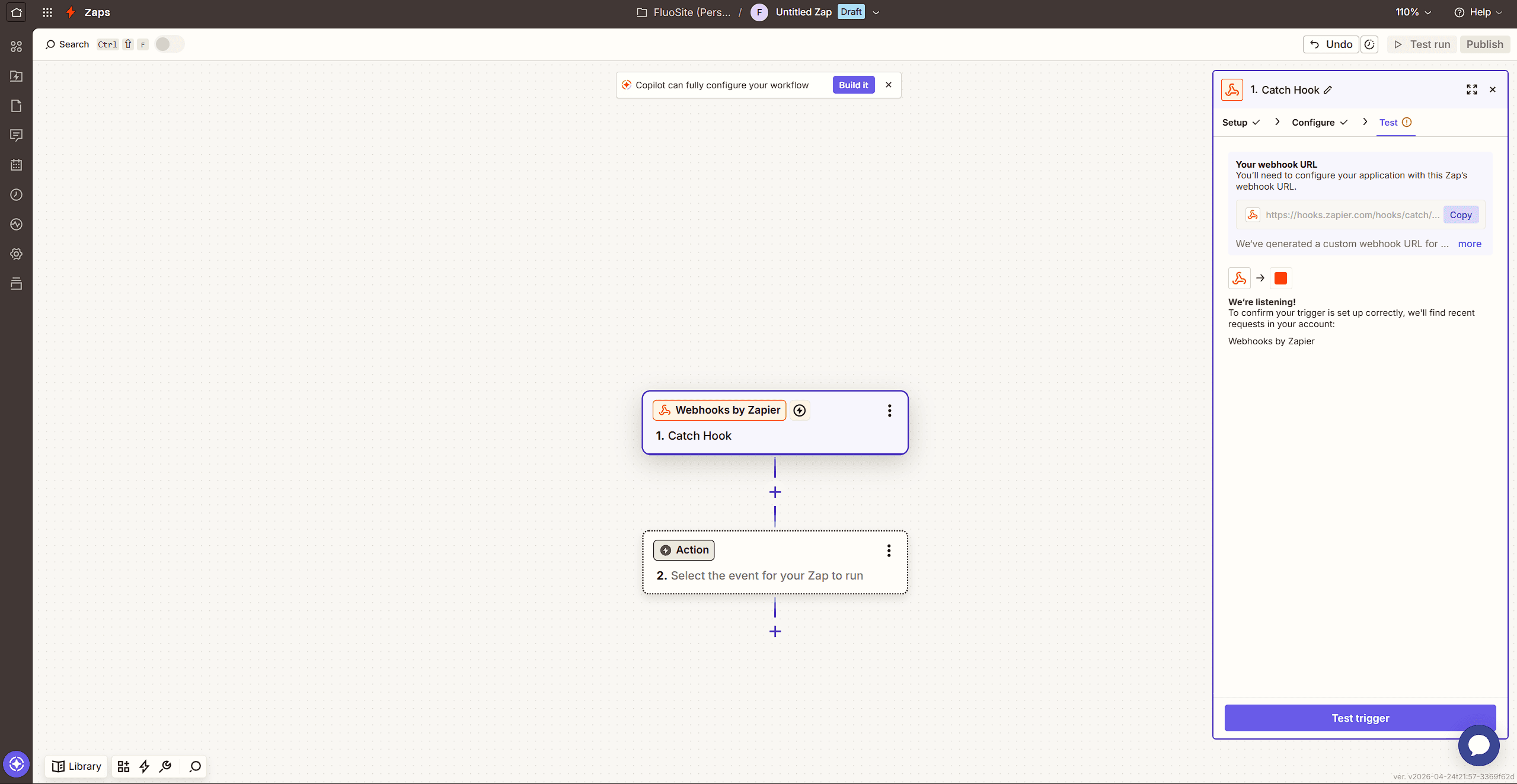
V Zapieru vytvořte nový Zap a vyberte "Webhooks by Zapier" jako spouštěč. Zvolte "Catch Hook".
- 2
Zkopírujte URL webhooku, který vám Zapier poskytne.
- 3
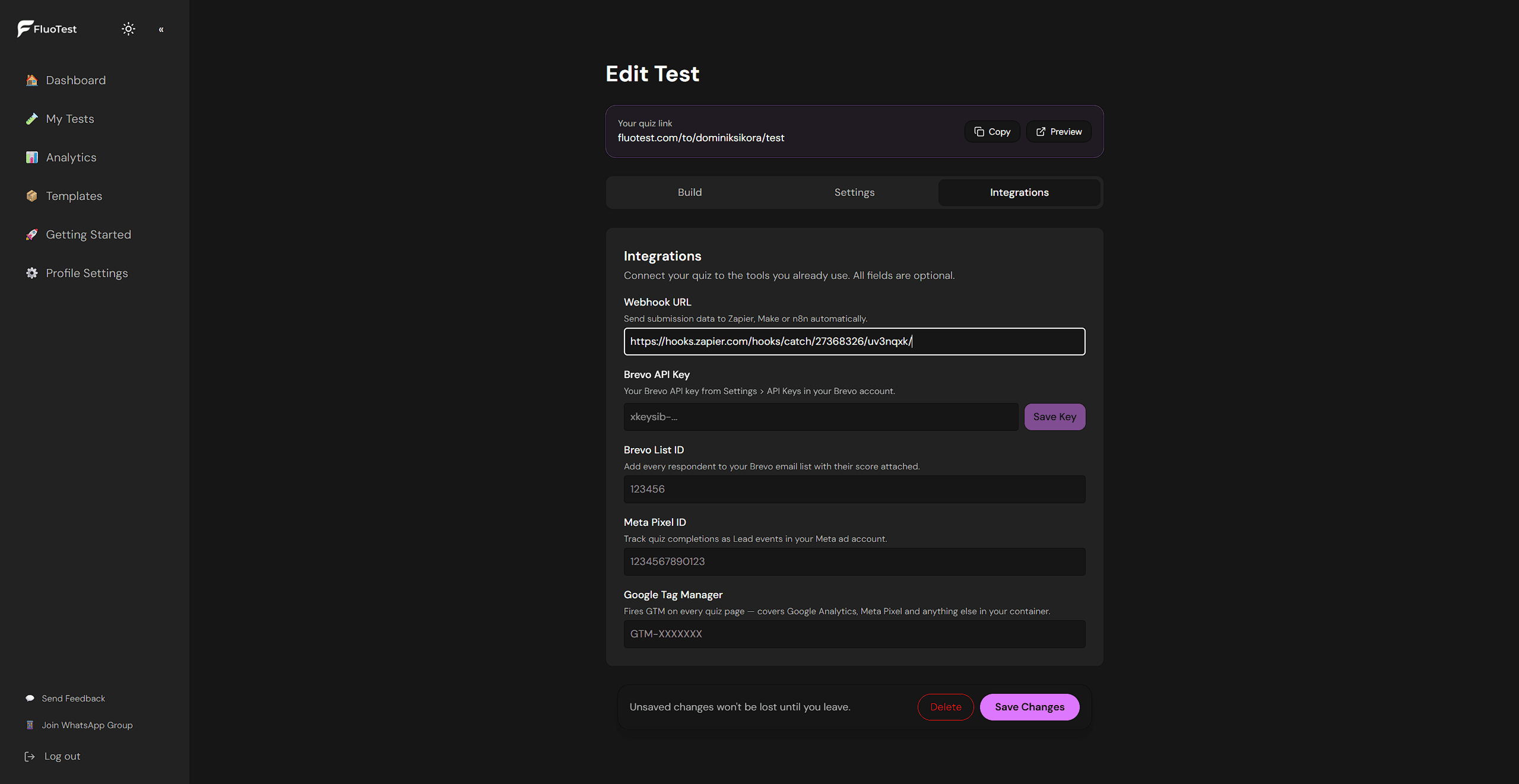
Ve FluoTestu přejděte do nástroje pro tvorbu kvízu a otevřete záložku "Integrace".
- 4
Vložte URL webhooku do pole Zapier/Webhook.
- 5
Uložte kvíz a odešlete testovací vyplnění.
- 6
Vraťte se do Zapieru a klikněte na "Otestovat spouštěč". Zapier obdrží testovací data včetně skóre, odpovědí a e-mailu respondenta.
- 7
Pokračujte v budování Zapu — propojte data s cílovým nástrojem (CRM, tabulka, Slack atd.).
Byl tento článek užitečný?