Připojte Brevo
Připojte FluoTest k Brevo, abyste automaticky přidávali respondenty kvízu do svého e-mailového seznamu.
- 1
Přihlaste se do svého účtu Brevo a přejděte na Nastavení → API klíče.
- 2
Vytvořte nový API klíč a zkopírujte ho.
📸 Brevo API key settings page - 3
Ve FluoTestu přejděte do nástroje pro tvorbu kvízu a otevřete záložku "Integrace".
- 4
Najděte sekci Brevo a vložte svůj API klíč.
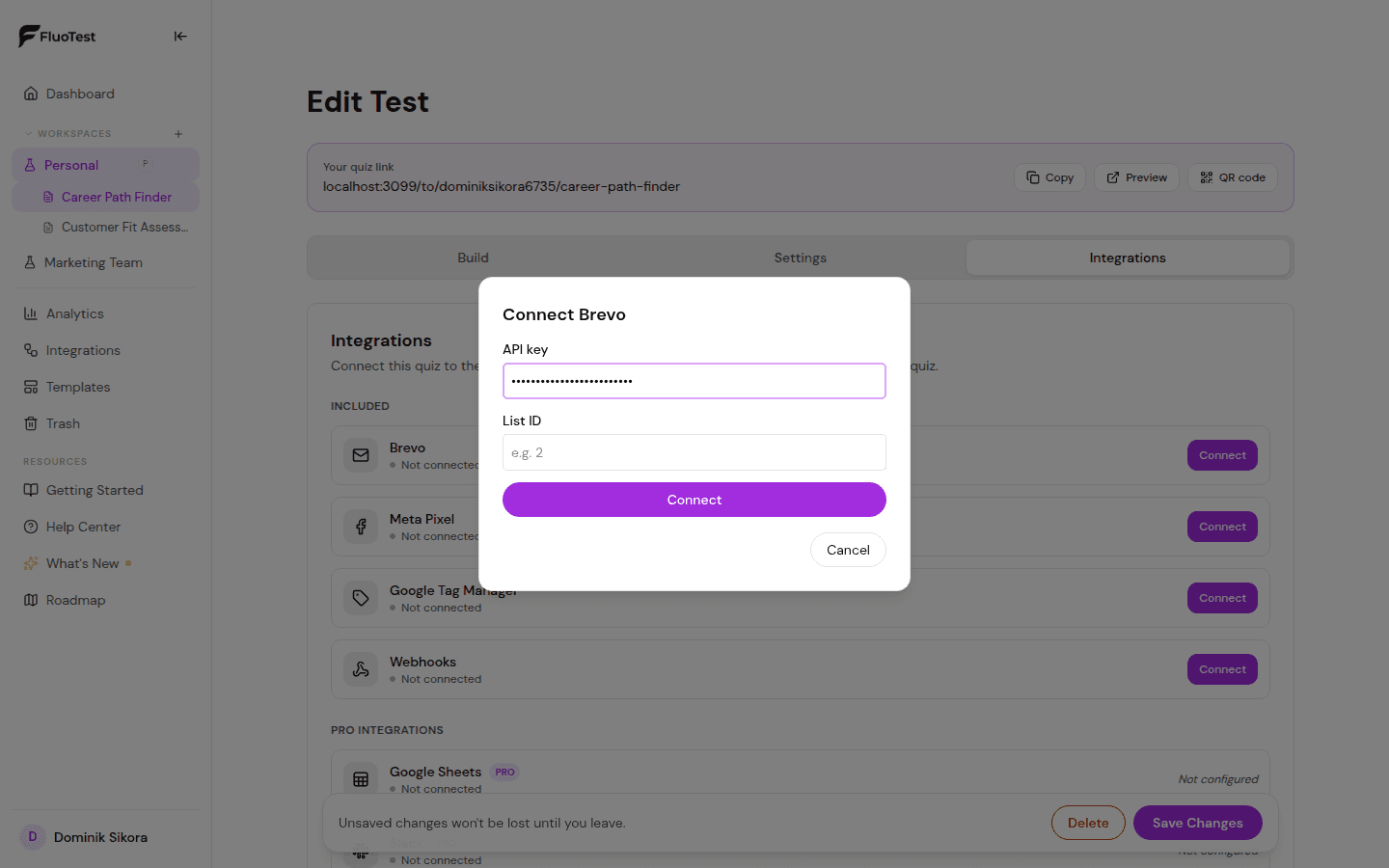
- 5
Zadejte ID seznamu Brevo, do kterého chcete respondenty přidávat. Najdete ho v Brevo pod Kontakty → Seznamy.
- 6
V sekci „Kdy spustit“ ponechte „Každé odeslání“, pokud chcete synchronizovat všechny, nebo nastavte prahovou hodnotu skóre, aby se synchronizace spustila jen nad nebo pod určitým procentem — třeba jen pro vysoce hodnocené zájemce.
- 7
Volitelně: v sekci „Směrovat podle úrovně skóre“ pošlete kontakty z každé úrovně do jiného seznamu Brevo, takže se pro každou úroveň spustí jiná automatizace Brevo (jiná emailová sekvence) místo toho, aby všichni skončili ve stejném seznamu.
- 8
Uložte. Od nynějška bude každý odpovídající respondent automaticky přidán do správného Brevo seznamu.
Byl tento článek užitečný?