Manage your data and active sessions
FluoTest gives you full control over your account. You can download everything you've created, review every device signed in to your account, and sign out sessions remotely.
- 1
Log in to your FluoTest dashboard and go to Settings.
- 2
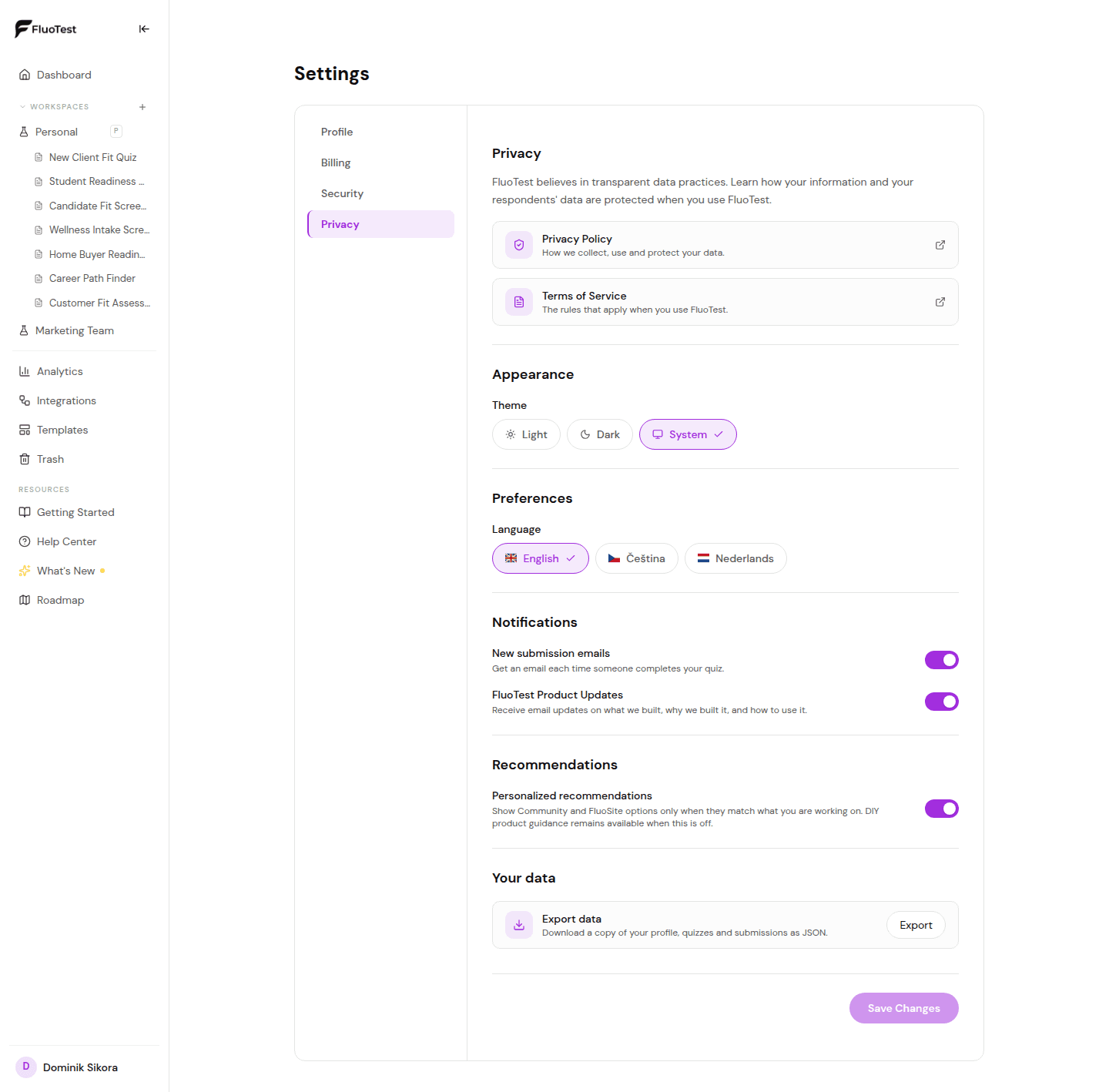
Open the Privacy tab. It brings together your appearance, language, and notification preferences, plus links to our Privacy Policy and Terms of Service.
- 3
Under "Your data", click "Export" to download a JSON file with everything in your account: your profile, quizzes with their sections, questions, outcomes and score categories, every submission, your folders and workspace memberships, plus a list of your integrations and API keys. Secrets such as integration settings and API keys themselves are never included.
- 4
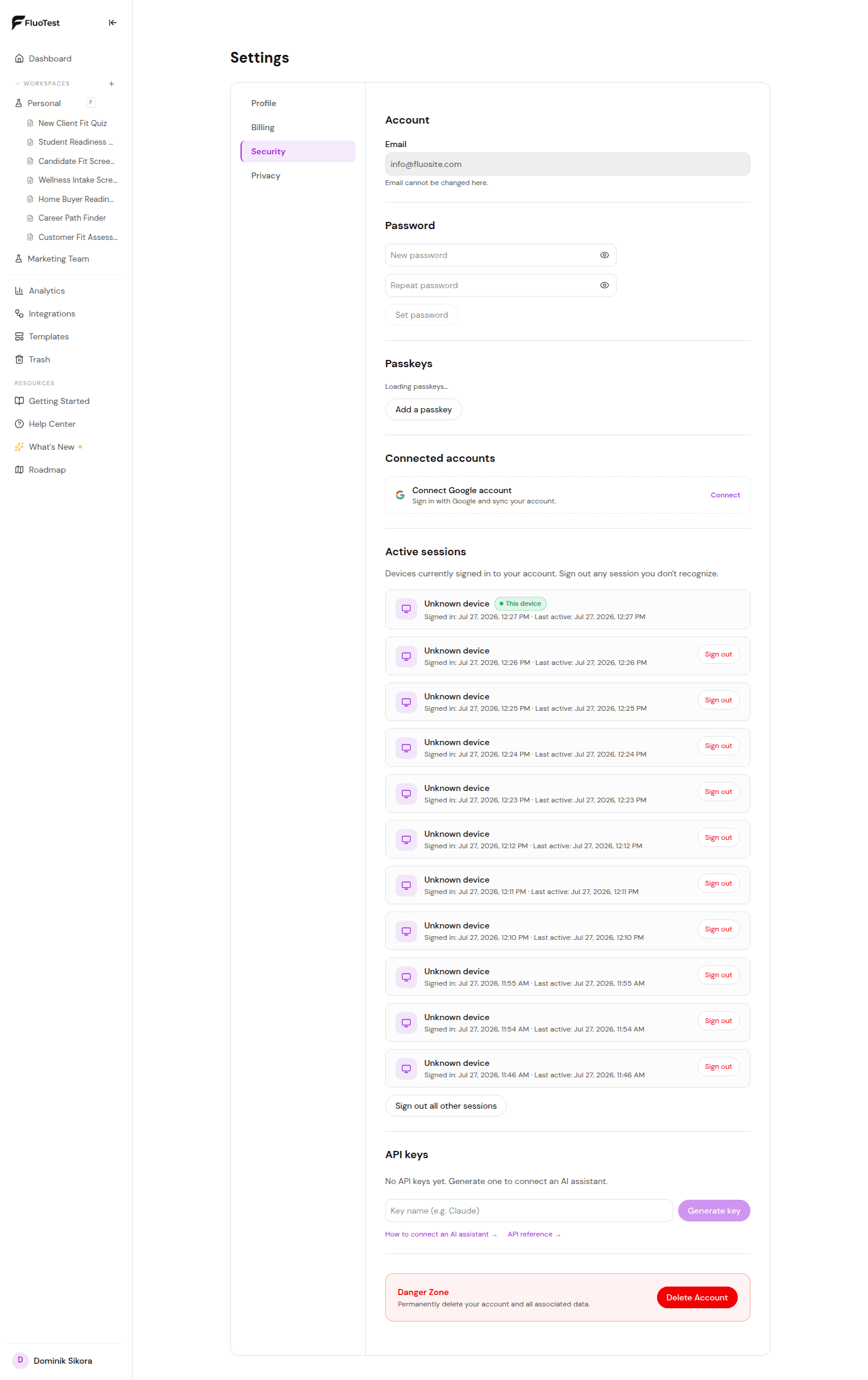
To review devices, open the Security tab and scroll to "Active sessions". Each session shows the browser, operating system, approximate location, sign-in time, and last activity.
- 5
Click "Sign out" next to any session you don't recognize, or use "Sign out all other sessions" to keep only your current device signed in.
Was this helpful?