Connect a custom domain
On the Pro plan you can serve your quizzes from your own domain — like quiz.yourbrand.com — instead of fluotest.com. SSL is set up automatically once your DNS is pointed at us.
- 1
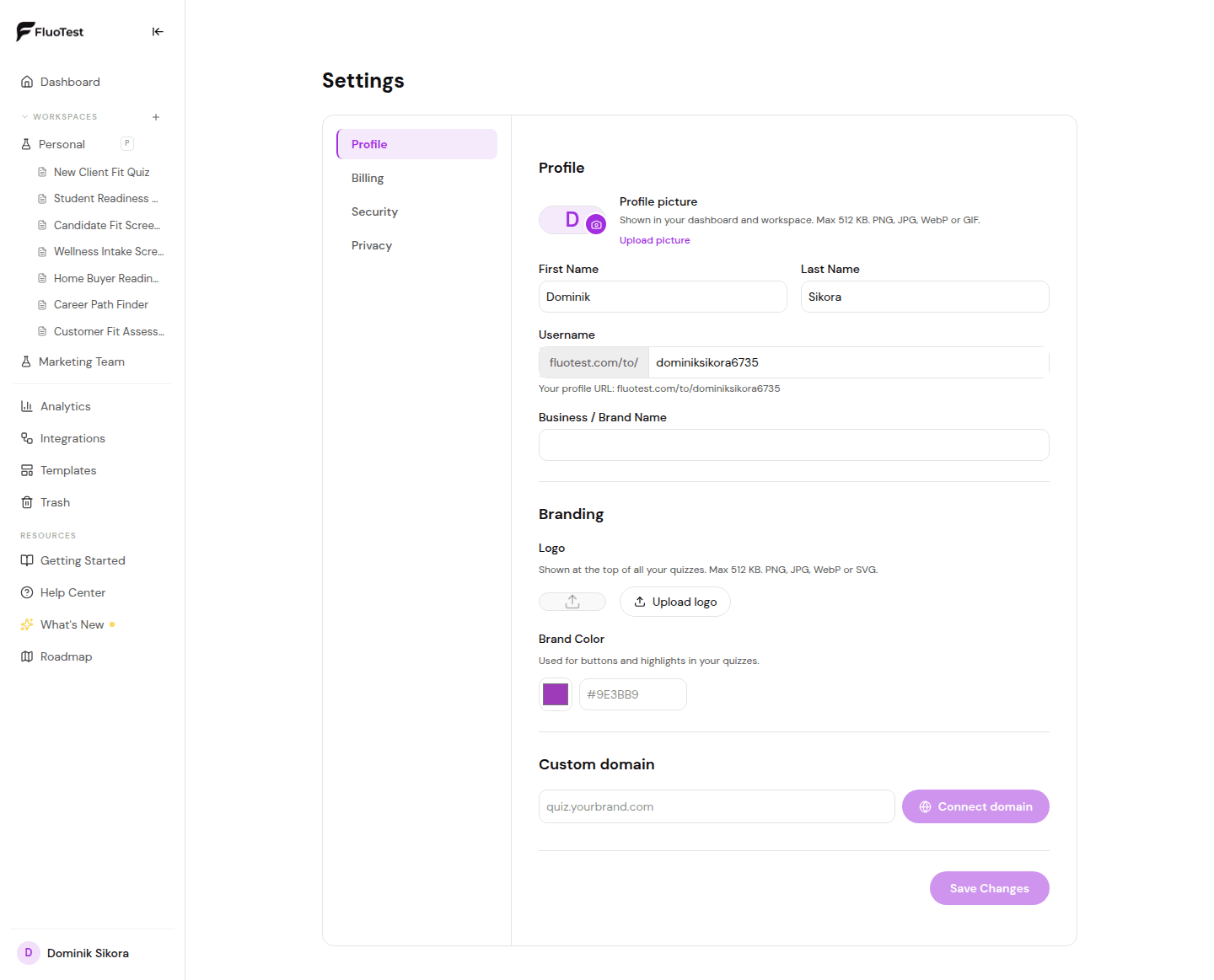
Go to Settings → Profile and find the "Custom domain" section. (Custom domains are a Pro feature.)
- 2
Enter the domain or subdomain you want to use, for example quiz.yourbrand.com, then click "Connect domain".
- 3
Open your domain provider's DNS settings and add the record shown: a CNAME pointing to cname.vercel-dns.com for a subdomain, or an A record to 76.76.21.21 for a root domain. Add any extra verification record listed.
- 4
Back in FluoTest, click "Check status". DNS can take a few minutes to a few hours to propagate.
- 5
Once it shows "Live · SSL active", your quizzes are served from your domain using the same path structure as on FluoTest — for example yourdomain.com/to/your-username/your-quiz.
Was this helpful?