Set up score tiers and outcomes
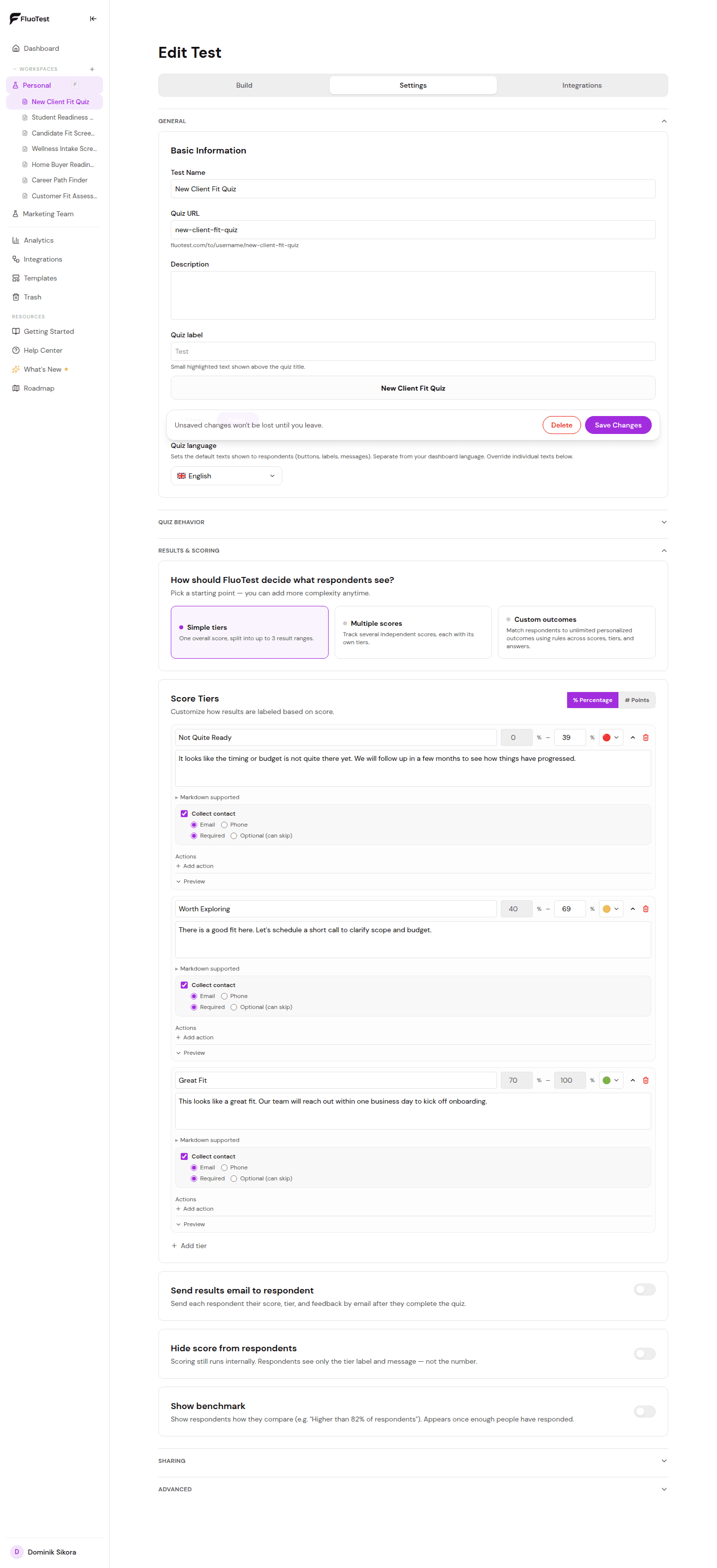
Score tiers determine what a respondent sees after completing your quiz based on their total score. You can set up to 3 tiers: high, mid, and low.
- 1
Open your quiz in the builder, expand "Results & scoring," and choose the "Simple tiers" starting point (the default).
- 2
Click "Add tier" to create a new tier.
- 3
Set the score range (minimum and maximum percentage) for this tier. For example: 70–100 for high-fit leads.
- 4
Write a label for this tier, for example "High fit" or "Great match".
- 5
Choose what happens when someone reaches this tier: show a message, show a calendar booking link, or redirect them to a URL. To ask only some tiers for an email or phone number, use "After submitting" below the tiers.
- 6
Write the outcome message that respondents will see. Make it specific and relevant to their score.
- 7
Repeat for mid and low tiers.
- 8
Save your quiz. Tiers take effect immediately.
Was this helpful?