Result actions & embeds
With custom outcomes — and with simple score tiers too — you can attach actions to each result, turning your quiz into a router that sends people to the right next step and hands them something real when they get there.
- 1
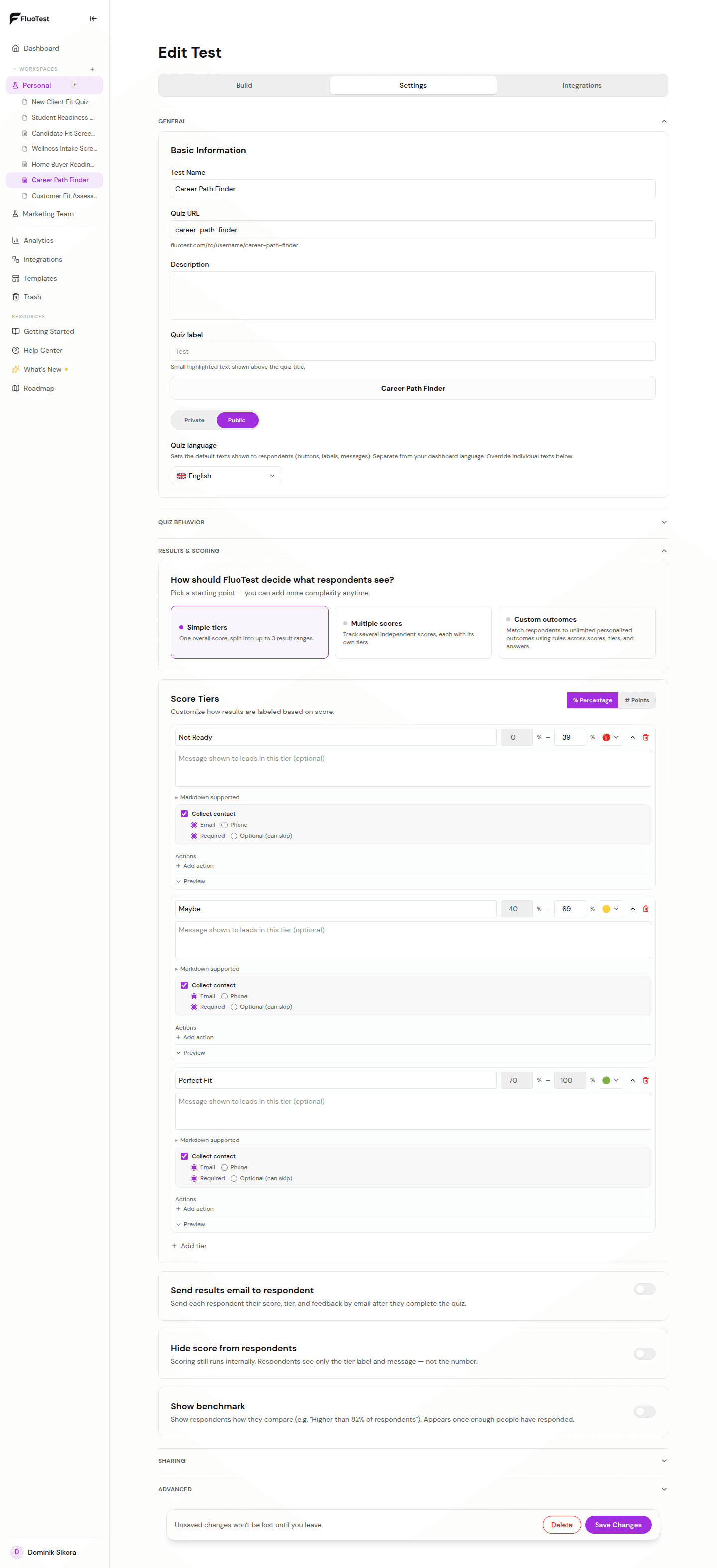
In Settings → Results & scoring, choose either "Simple tiers" or the "Custom outcomes" starting point — actions work the same way in both.
- 2
Open an outcome (or a score tier) and add an action: a CTA button (label + URL), Open URL, Redirect (with optional delay), Embed, Download resource, Coupon, or Rich text. To ask for contact details, use "After submitting" instead.
- 3
For Embed, paste any https link from an iframe-friendly tool — Calendly, Cal.com, TidyCal, Google Appointment Scheduling, Typeform and more — and it renders right on the results screen.
- 4
For Download resource, paste a link to a file you host yourself (a PDF, a guide). FluoTest streams it back as a forced browser download rather than opening a new tab — the file itself is never uploaded to or stored by FluoTest.
- 5
For Coupon, enter the discount code to reveal — respondents get a one-tap copy button, no file or link needed.
- 6
For Rich text, write a short formatted next-steps block in Markdown, for outcomes where a couple of sentences beat a whole document.
- 7
Use "@" mentions in a result's title, body, or an action's text to reference the respondent's own answer, score, or name — for example "Because you told us @answer.budget, here's the plan." Structured questions (multiple choice, yes/no, slider, star, number) are offered in the mention picker.
- 8
Use the Preview to confirm the result and actions look right.
- 9
Tip: combine with conditions so hot leads get a booking embed while others get a resource link or a coupon.
Was this helpful?