Create your first quiz
Creating a quiz in FluoTest takes about 5 minutes. You can start from a blank quiz or pick a template.
- 1
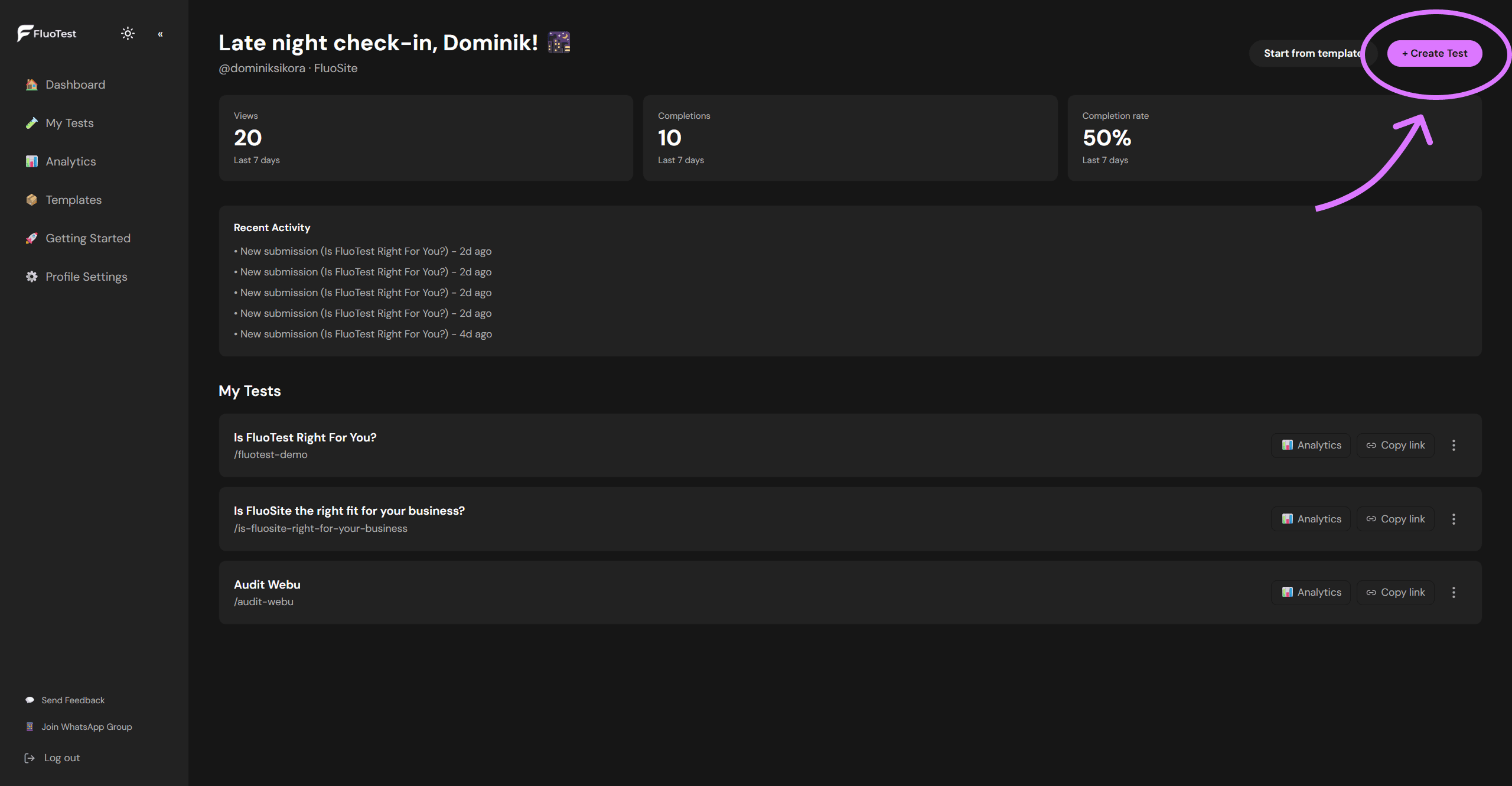
Log in to your FluoTest dashboard at fluotest.com/dashboard.
- 2
Click the "+ Create quiz" button in the top right corner.
- 3
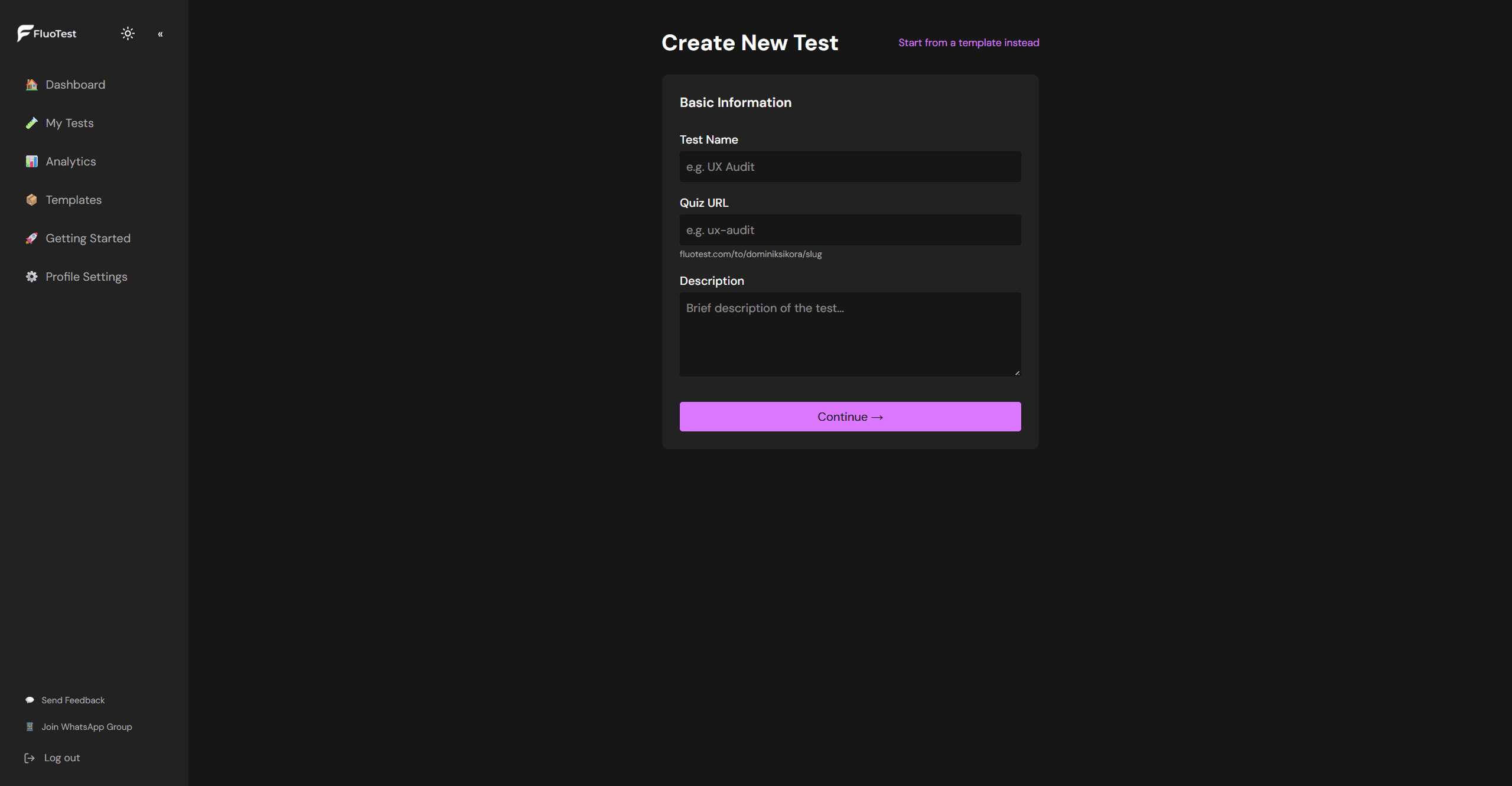
Enter a name for your quiz. This is for your reference only. Your visitors will see the quiz title you set later.
- 4
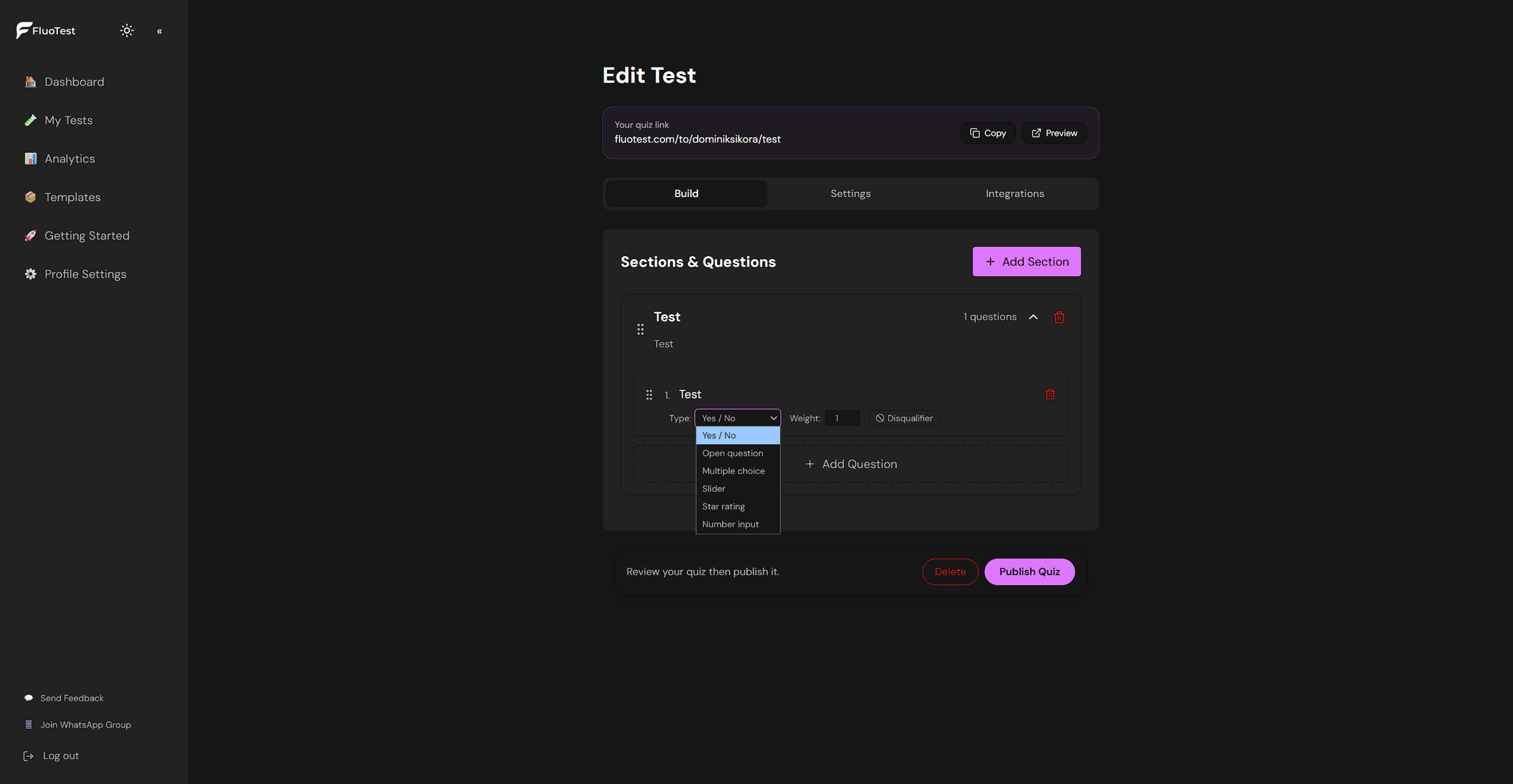
Once created, you land on the quiz builder. Add sections using the "Add section" button. Each section can have a title, description and multiple questions.
- 5
Add questions to each section. Choose the question type: Yes/No, Multiple Choice, Open text, Slider, Star rating, or Number input.
- 6
For scoreable question types, assign point values to each answer. Higher points mean a better-fit lead.
- 7
Optional: in the quiz's Experience settings, turn on "Move on after an answer" and respondents go to the next step as soon as they answer its last question, without clicking Next. It works on steps made of single choice, yes/no and star questions.
- 8
When done, click "Save". Your quiz is saved as a draft (private) until you publish it.
Was this helpful?