Add Meta Pixel
Fire a Meta Pixel event when someone completes your quiz so you can retarget completers or build lookalike audiences.
- 1
Go to your quiz builder and open the "Integrations" tab.
- 2
Find the "Meta Pixel" section.
- 3
Enter your Meta Pixel ID. You can find this in Meta Events Manager under your pixel's settings.
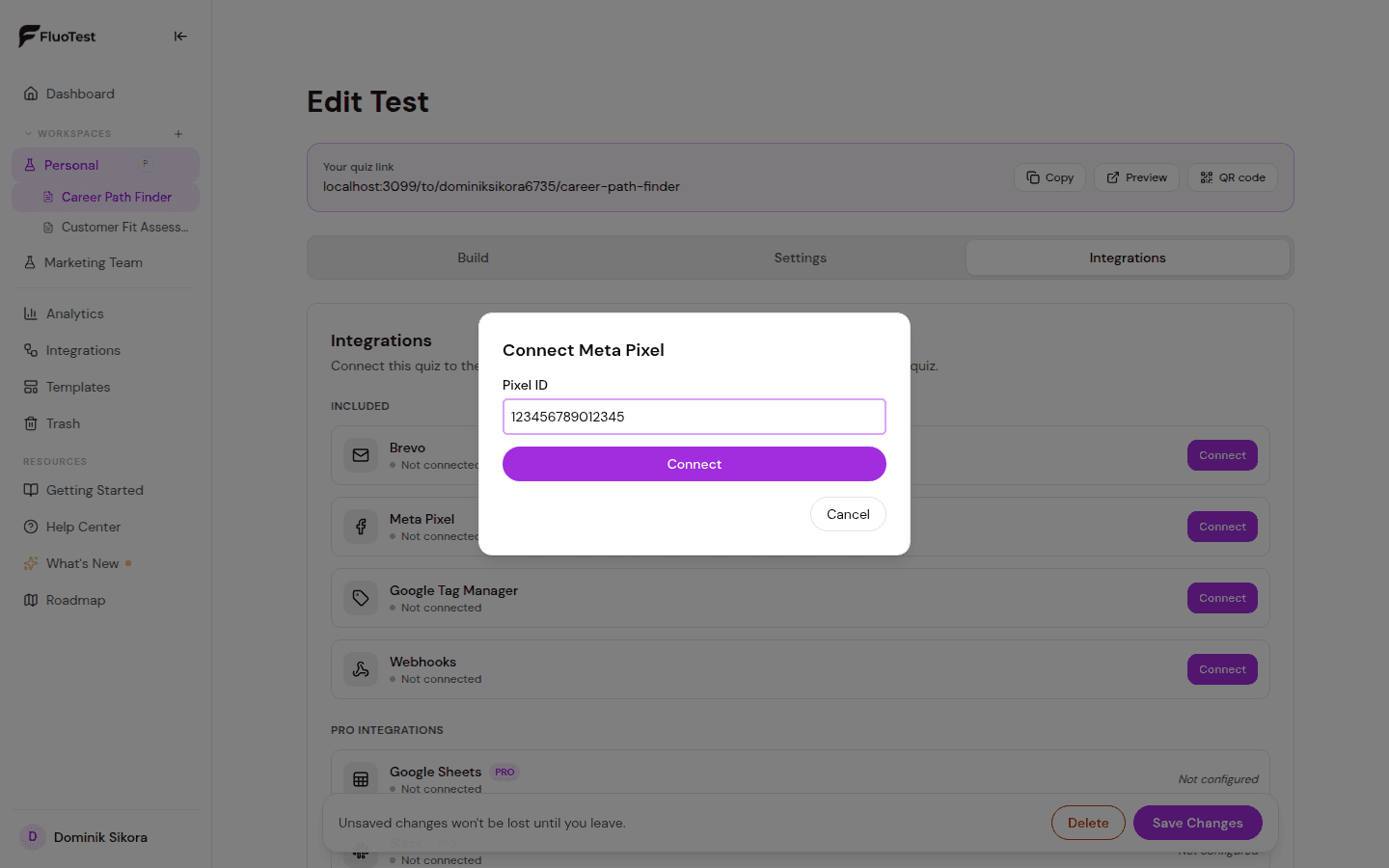
- 4
Choose which events to fire. QuizStart and QuizComplete are sent as Meta custom events with exactly those names; LeadGenerated is sent as the standard "Lead" event when a respondent submits the contact form. All three are on by default.
- 5
Save your quiz.
- 6
Test by completing the quiz and checking Meta Events Manager → Test Events to confirm the event fires. QuizStart and QuizComplete are custom events, so look under the pixel's custom events, not the standard event list.
📸 Meta Events Manager showing the Lead event - 7
Integrations → Activity and the quiz's delivery log show an entry for every completion and lead: "sent from browser", "blocked in browser" (ad blocker or tracking protection) or "no consent". It reports what the respondent's browser did. Only Meta Events Manager can confirm that Meta received the event.
- 8
By default, EU/EEA visitors see a short cookie-consent banner before the Pixel loads. Adjust this per quiz under Integrations → Cookie consent (Auto, Always, or Never).
Was this helpful?