Connect Pro integrations
FluoTest's Pro integrations push every submission straight into the tools your team already uses — spreadsheets, Slack, your CRM, your knowledge base, or a teammate's inbox. Connect an account once and reuse it across all your quizzes.
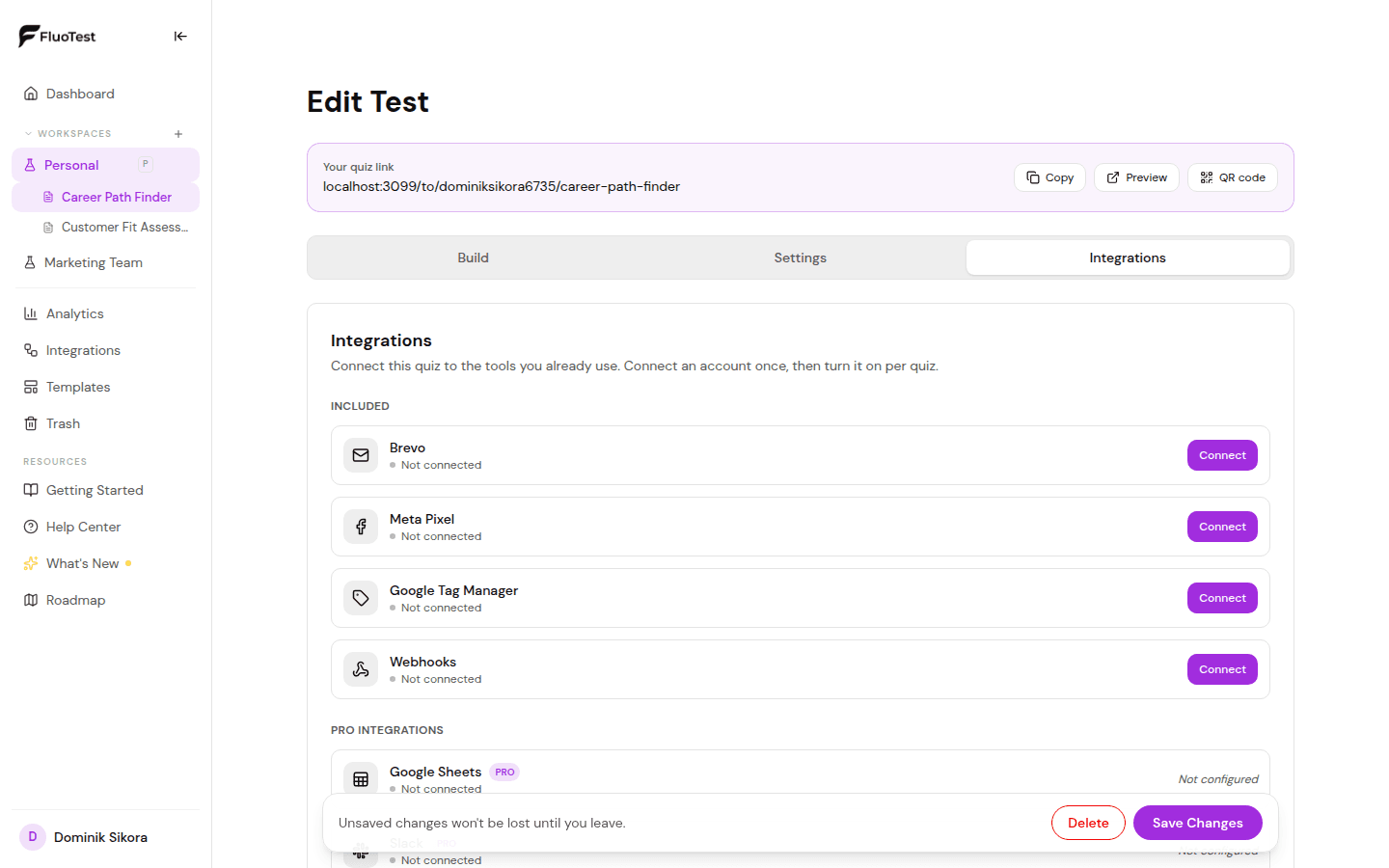
- 1
Open your quiz, go to the "Integrations" tab, and scroll to the "Pro integrations" section.
- 2
Click "Connect" on the integration you want. Airtable asks you to paste a personal access token, Email Alert asks for an email address, and Slack, Google Sheets, HubSpot, Mailchimp and Notion open a popup where you grant access.
- 3
Once connected, choose the destination — a spreadsheet and tab, a Mailchimp audience, a Notion database, an Airtable base and table, or, for Email Alert, the score threshold that should trigger the notification — in the per-quiz settings.
- 4
Turn the toggle on to activate the integration for this quiz.
- 5
Every new submission is sent automatically, including the respondent's name, email, score, percentage and tier.
- 6
Use the same connected account on any of your other quizzes — no need to re-enter credentials.
Was this helpful?