Make your quiz public
Quizzes are private by default. Here is how to make yours visible to the public.
- 1
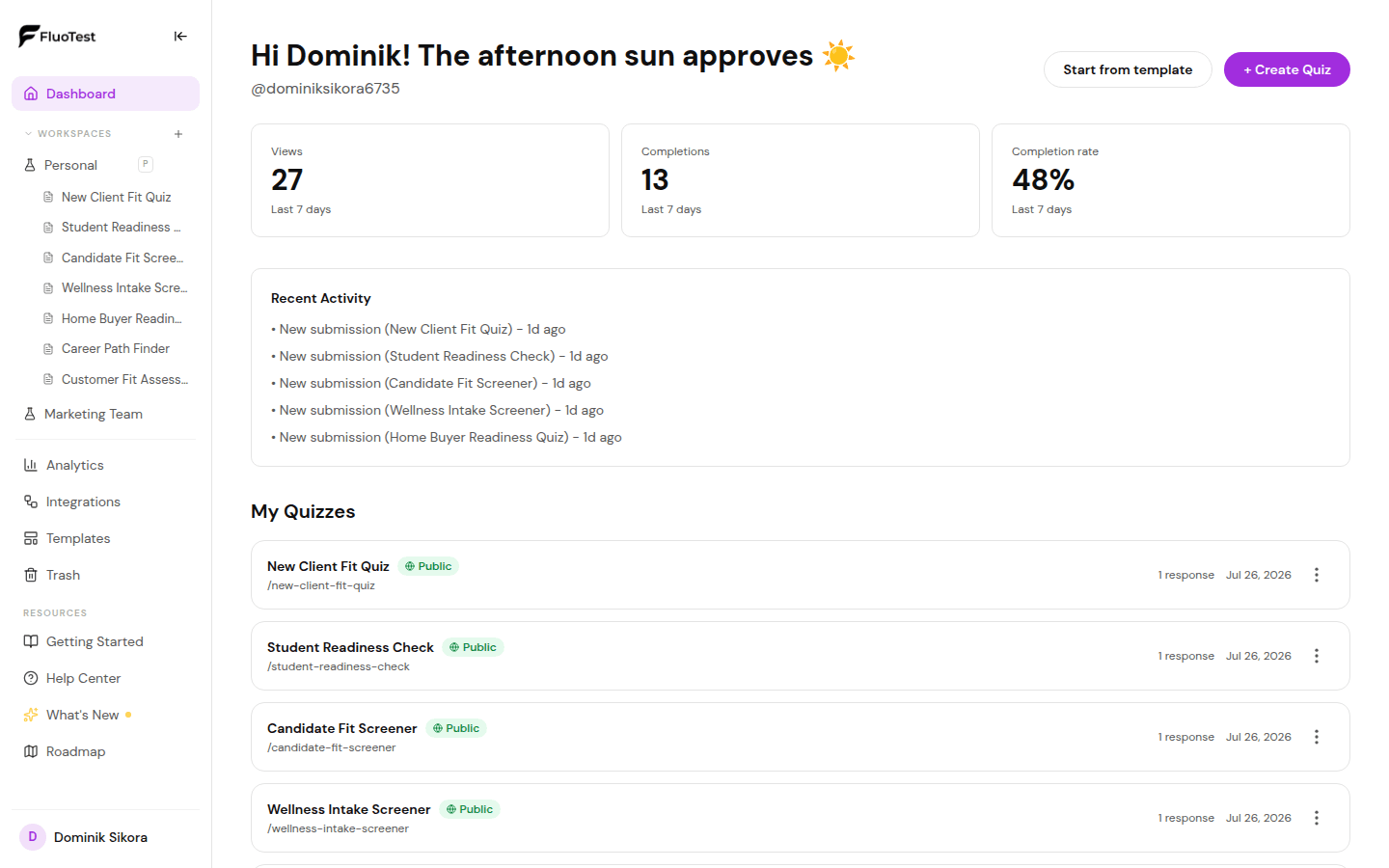
From your dashboard, find the quiz you want to publish.
- 2
Click on the quiz to open the builder.
- 3
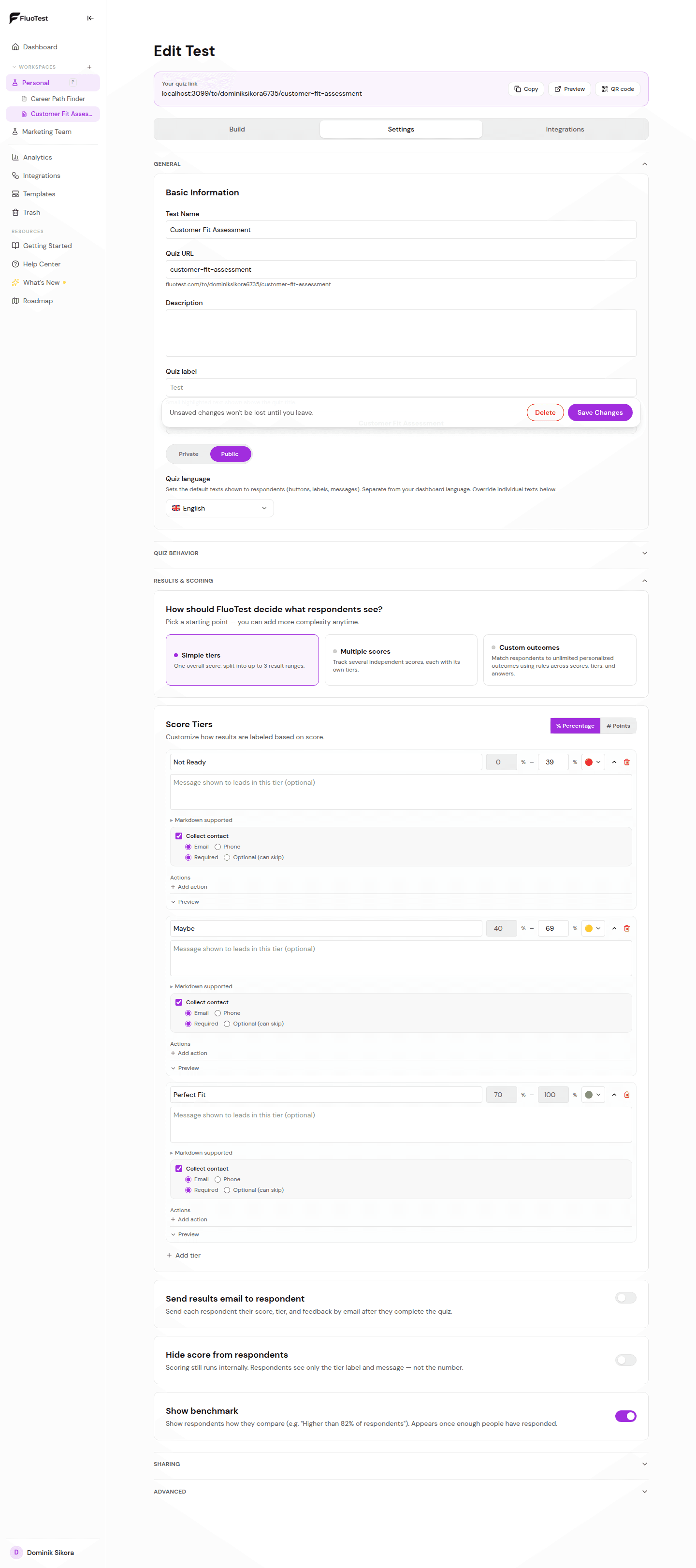
Find the "Visibility" toggle in the quiz settings (top right of the builder).
- 4
Toggle it to "Public". Your quiz is now live at its URL.
- 5
Copy the quiz URL and test it in an incognito window to confirm it is publicly accessible.
- 6
If you ever need to take it offline, toggle it back to "Private". Existing links will stop working immediately.
Was this helpful?